Software Engineering in Web Development, Backend Services, and More

Tag: WordPress (Page 102 of 220)

Articles, tips, and resources for WordPress-based development.

Installing WP-CLI with MAMP

About four years ago, I shared a post about WP-CLI. It wasn’t exactly a new project at the time, but it was far less developed than it is now.
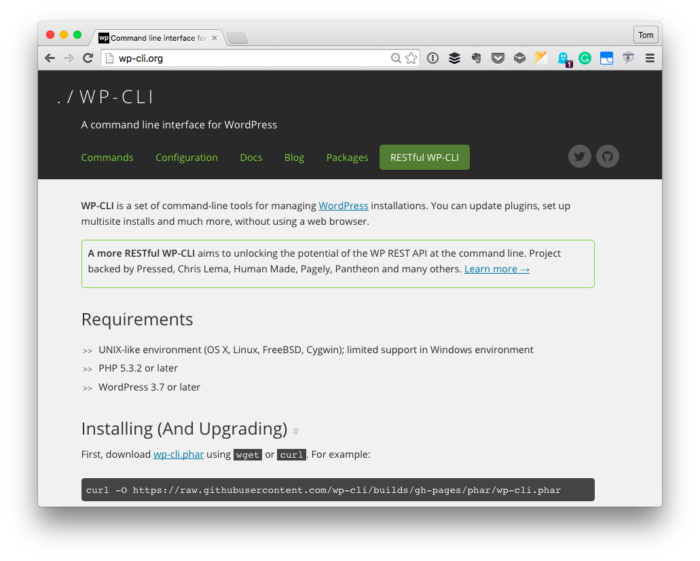
The WP-CLI Homepage

The WP-CLI Homepage

As I mentioned in yesterday’s post, one of the things that we’re doing with is making sure that all of our work is unit tested from the initial version.

And when it comes to unit testing in PHP, many of us are familiar with PHPUnit; however, when it comes to unit testing plugins that are integrated with WordPress, it helps to have a test environment set up.

Sure, it’s possible to set aside a test database, test content, and then defined mock objects based on interfaces (and I’m not here to dissuade anyone from doing that). But WP-CLI offers a much easier way to go about doing just that in a more automated manner.

But first, it’s important to make sure that it’s correctly installed on your system.

Continue reading

Improve Your WordPress Skills with Hookr.io

One of the most important things you can do to improve your WordPress skills is to learn all about WordPress hooks. If you’ve spent any time looking through code, trying to write a plugin, or referencing the Codex then you likely know:

Hooks are provided by WordPress to allow your plugin to ‘hook into’ the rest of WordPress; that is, to call functions in your plugin at specific times, and thereby set your plugin in motion.

Yes, I think it’s important to understand the event-driven design pattern. And it’s one thing to have a comprehensive list of everything that’s available regardless of if it’s an action or a filter but it’s another thing to actually see it action.

Given that we all have different learning styles, sometimes I think having a reference is only one way to go about learning how to leverage the system. Another way would be to use a plugin like Hookr.

Continue reading

How to Work with WordPress Metadata

One of the nicest APIs that the application offers is the WordPress Metadata API. It’s through this API that we’re able to take ideas such as posts, users, comments, terms, and more and store richer information that just the standard set of information.

Sure, there’s a lot to consider when taking advantages of these additional columns or fields as it relates to these concepts. But if you’re a beginner or someone who’s just starting to get deeper into the WordPress API, then I can’t recommend learning these APIs enough.

In two recent series for Envato, I cover these concepts in-depth.

Continue reading

Setting up PHP and Composer in MAMP

Lately, I’ve been trying to write shorter, more focused on articles on particular topics, but there are times in which a longer article is warranted: Case in point: Using PHP and Composer in MAMP.

Before you get started reading this article, I’m assuming you have a couple of things:

  • MAMP installed on your machine (it’s compatible with Windows now!)
  • Time to read all that’s below
  • Willingness to use the Terminal
  • Coffee (or another drink, but seriously coffee) to read through all that’s below

It’s not that any of this is intimidating. I mean, if you’re completely inexperienced, there may be a bit of a learning curve, but I’m going to do what I can to break this down for you regardless of the level of experience you have.

Ultimately, the goal is to make it easier for you to write more modular code using third-party dependencies and with keeping things well-organized on your system and in your projects.

Continue reading

WordPress Autocomplete for Atom

One piece of functionality that’s useful that isn’t natively built-in to Atom: WordPress autocomplete.

To clarify, earlier this month I talked about how I’d made the switch to Atom as my IDE of choice. I’d also shared a package and a few steps necessary to get PHP CodeSniffer working with Atom. And though that’s nice, there’s something to be said for having other features available (more of which I’ll share in the future).

This isn’t to say that I think we should be using autocomplete as any crutch but if it comes down to having the various hooks and functions appear while typing versus opening up a Codex reference, I’d much prefer the former.
Continue reading

« Older posts Newer posts »

© 2026 Tom McFarlin

Theme by Anders NorenUp ↑