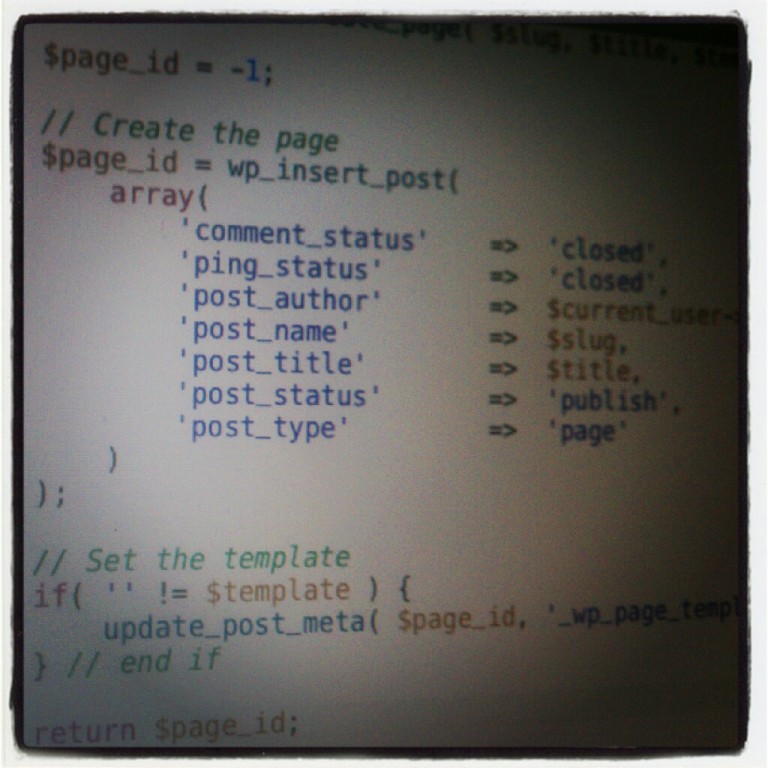
For many, creating WordPress posts and pages is a simple matter of using the built-in editor. But if you’re working on a more advanced project – perhaps you need to automatically generate pages (or posts) to act as views or to restrict users from accessing the dashboard.
If that’s the case, then it may be better to programmatically create a post in WordPress.
Case in point: I’ve been working on a project where all user profile management (save for administrators) has to occur outside of the dashboard. This means that when the theme is installed, it needs to automatically generate pages that support this functionality.
It’s not terribly difficult, but it’s important to make sure that you aren’t overwriting existing pages, that you’re properly setting post attributes, and that you’re properly assigning templates when necessary.
Here’s a simple example of how to programmatically create a post in WordPress.
Identify The Basics
The WordPress API allows you to define a wide array of options when manually inserting pages. Odds are, you’ll need more in some cases than in others.
For the most part, I usually roll with the following parameters:
- comment_status
- ping_status
- post_author
- post_name
- post_title
- post_status
- post_type
I’ll show these in more detail later, but one of the most important parts in programmatically creating a post in WordPress is to identify exactly what parameters are relevant to your needs.
Make notes and then plan to incorporate them.
Check For an Existing Post
If you’re building a product from the ground up, then the likelihood of a post already existing isn’t high, but if you’re writing a plugin or you’re going to be working with an existing setup, then it’s best to make sure that a post exists before trying to do anything else.
Luckily, WordPress makes it easy to check if a post exists. Of course, I’m making an assumption here: If you’re going to be creating a post then you’re likely going to be defining a title so the easiest way to check if a post exists, at least in this case, is checking to see if the title already exists.
Easy:
if( null == get_page_by_title( $title ) ) {

    // Create the page

} else {

    // The page exists

} // end if
I’ll fill this in detail momentarily, but it’s important to handle the case where a page exists. Either throw an error, prevent the page from being created, halt executed, register a notice, or a set a flag.
Generally speaking, I’m a fan of registering an admin_notice, thought hat’s a bit out of scope for what I want to cover here. So, later in this article, I’m going to set a flag that will allow you to react appropriately.
Apply The Default Settings
At this point, I usually define the default settings for the post. The list I use is above but it often depends on three variables each of which may come from an input field or be manually set in the code. For this example, I’ll be following the later:
I’ll need the slug that I wish to use for the post URL:
$slug = 'example-post';
I’ll need the ID of the user that will be attributed for creating the post. ‘1’ is a safe bet as it’s usually the administrator but it’s also common to use the ID of the current user:
$author_id = 1;
And I’ll need to set the title of the post:
$title = 'My Example Post';
At this point, you define the array of options for creating a post:
array(

	'comment_status'	=>	'closed',

	'ping_status'		=>	'closed',

	'post_author'		=>	$author_id,

	'post_name'		=>	$slug,

	'post_title'		=>	$title,

	'post_status'		=>	'publish',

	'post_type'		=>	'post'

)
The parameters should be clear, but here’s what I’ve done: I’m going to create a post that does not accept comments or pings (this is arbitrary – you can mark these as open). The page has been created by the administrator and will have the slug and the title that I defined above. The post will be immediately published when the function fires and I’m obviously creating a post (instead of, say, a page).
Hook It Into WordPress
To wrap this up, there’s one more thing that you need to account for when inserting a post into the database and that is that the wp_insert_post function will return the ID of the post once it has created it.
As such, I normally like to initialize a variable that I return to indicate whether or not the creation of the new post was successful.
Something like this:
// Initialize the post ID to -1. This indicates no action has been taken.

$post_id = -1;

// Setup the author, slug, and title for the post

$author_id = 1;

$slug = 'example-post';

$title = 'My Example Post'

// If the page doesn't already exist, then create it

if( null == get_page_by_title( $title ) ) {

	// Set the page ID so that we know the page was created successfully

	$post_id = wp_insert_post(

		array(

			'comment_status'	=>	'closed',

			'ping_status'		=>	'closed',

			'post_author'		=>	$author_id,

			'post_name'		=>	$slug,

			'post_title'		=>	$title,

			'post_status'		=>	'publish',

			'post_type'		=>	'post'

		)

	);

// Otherwise, we'll stop and set a flag

} else {

    // Arbitrarily use -2 to indicate that the page with the title already exists

    $post_id = -2;

} // end if
I’ll show this function in its entirety when we take a look at the final function, but I find it useful to attach this function to the after_setup_theme action to ensure that the post is created when WordPress sets up the theme.
Programmatically Create a Post in WordPress
This is the TL;DR version of all of the code covered in this article. It’s meant for those that want to see everything tied together or those that skipped the rest of the article.
/**

 * A function used to programmatically create a post in WordPress. The slug, author ID, and title

 * are defined within the context of the function.

 *

 * @returns -1 if the post was never created, -2 if a post with the same title exists, or the ID

 *          of the post if successful.

 */

function programmatically_create_post() {

	// Initialize the page ID to -1. This indicates no action has been taken.

	$post_id = -1;

	// Setup the author, slug, and title for the post

	$author_id = 1;

	$slug = 'example-post';

	$title = 'My Example Post';

	// If the page doesn't already exist, then create it

	if( null == get_page_by_title( $title ) ) {

		// Set the post ID so that we know the post was created successfully

		$post_id = wp_insert_post(

			array(

				'comment_status'	=>	'closed',

				'ping_status'		=>	'closed',

				'post_author'		=>	$author_id,

				'post_name'		=>	$slug,

				'post_title'		=>	$title,

				'post_status'		=>	'publish',

				'post_type'		=>	'post'

			)

		);

	// Otherwise, we'll stop

	} else {

    		// Arbitrarily use -2 to indicate that the page with the title already exists

    		$post_id = -2;

	} // end if

} // end programmatically_create_post

add_filter( 'after_setup_theme', 'programmatically_create_post' );
The various calls to this function would look like this:
$post_id = programmatically_create_post()

if( -1 == $post_id || -2 == $post_id ) {

   // The post wasn't created or the page already exists

} // end if
Resources in the Codex
I’ve presented a relatively simple case for what’s needed to create a post in WordPress programmatically. There’s much more than you can do so I definitely recommend reviewing the following Codex articles:

Leave a Reply
You must be logged in to post a comment.