Where Can I Watch? 1.3.0 is out, and this one is less about new features and more about making controls that have been in the app since launch easier to find and easier to trust.
When 1.2.0 shipped, I wrote that 1.3.0 was going to be a detail-page overhaul. But the more I used the app, the more I noticed another set of issues specifically around the filtering controls in the Services tab. They’ve been there since 1.0.0, but they’re buried far too low beneath the list of streaming service providers. So I shifted gears. The detail-page work moved to 1.4.0, and 1.3.0 became a clarity pass on the filtering experience across Search and Trending.
What’s New
Services Screen Redesign
The Services tab now uses a standard iOS settings-style layout. The two filter toggles — Hide Unavailable and Only My Services — sit at the top of the screen instead of buried below the services list. There’s also a search field in the navigation bar, so you can jump to a specific service instead of scrolling through every US streaming provider.
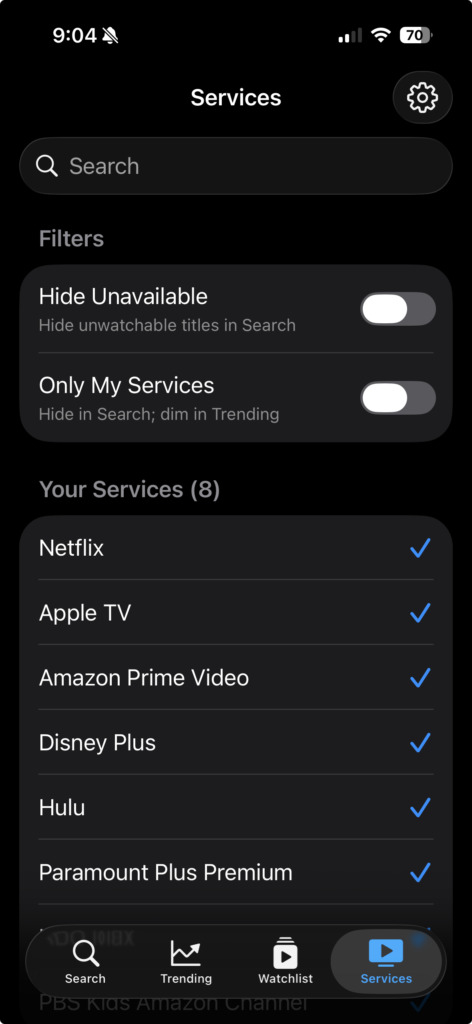
The selected count moved up into the section header, and the screen splits into three clear sections: Filters, Your Services, and All Services.
Unified Filter Behavior Across Search and Trending
Before this release, the filter toggles really only did anything on Search. Trending ignored them entirely. Now they apply to both, but they apply *differently* depending on the context.
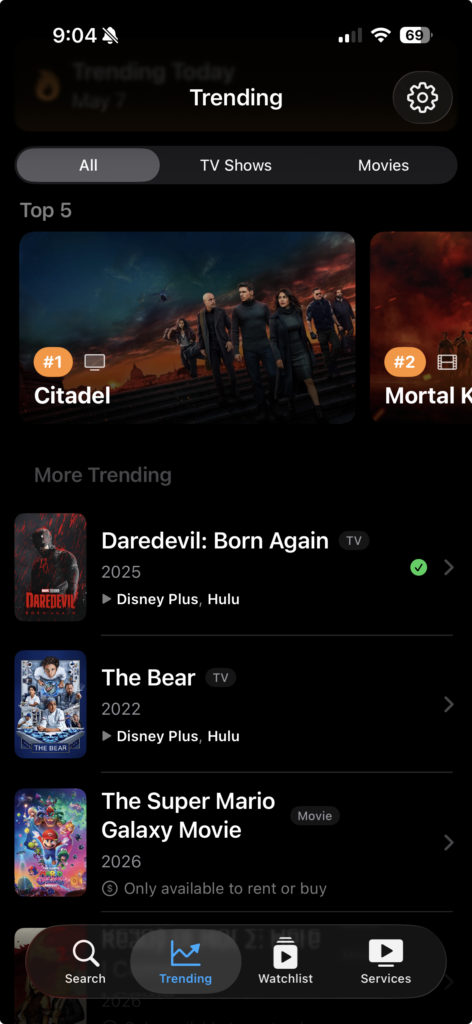
On Search, the toggles filter. They hide titles you can’t watch, or titles that aren’t on your services. On Trending, the toggles dim instead. Trending stays a discovery surface, so nothing disappears, but titles you can’t watch are visually distinguished from the rest.
This matches how your eyes naturally use the two screens. Search is a task: “show me the thing I’m looking for.” Trending is a glance: “what’s popular right now?” Filters should do different jobs in those two places, and now they do.
Watchlist’s “Up Next” Filter is Now “Shows”
The Watchlist had a filter called “Up Next” sitting between “All,” “Movies,” and “Watched.” But “Up Next” was actually filtering to all tracked TV shows including Returning shows and Complete shows that aren’t actually next anything. Calling it “Up Next” was misleading. It’s now called “Shows,” which matches what’s there and parallels the “Movies” filter next to it.
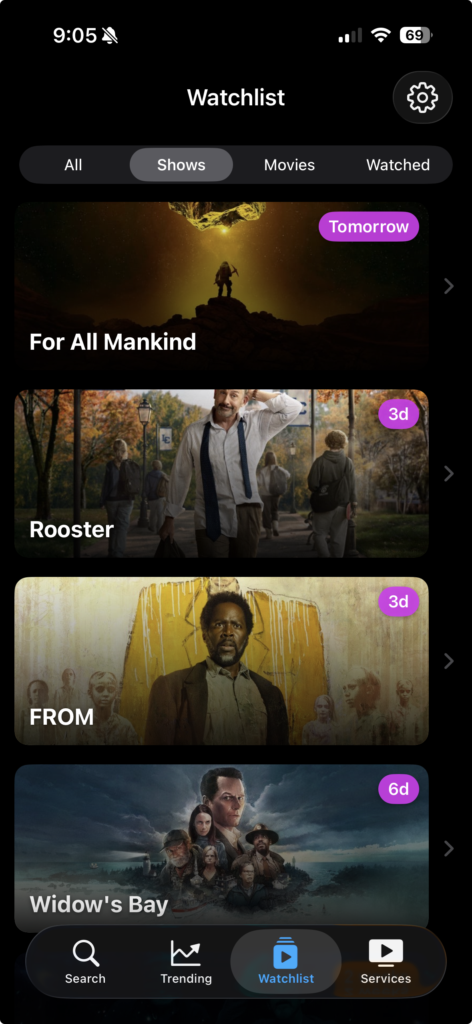
The sort order inside the tab is unchanged: shows with upcoming episodes come first, then Returning, then Complete.
What’s Fixed
Inverted Opacity on Trending
Previously, with “Hide Unavailable” turned on, truly unwatchable titles on Trending would render at *full* opacity instead of dimmed meaning enabling a “hide” toggle made unwatchable items more visually prominent, not less.
The fix unifies the dim rule so unwatchable titles render dimmed on Trending regardless of toggle state. The new test suite for the row-display logic covers every combination of toggle states and row availability, so this stays fixed.
What’s Next
1.4.0 picks up the original 1.3.0 plan: a detail-page overhaul. That means content rating badges, runtime info, an “On Your Services” section on the detail view, and search by actor or person name.
1.5.0 after that will focus on offline support. Right now the app is online-aware to a fault open the watchlist on a flight or in airplane mode and most of it works, but tap into a TV show and the seasons list won’t load. Watchlist content you’ve already saved should be fully usable offline.
If you haven’t tried Where Can I Watch? yet, it’s free on the App Store. No ads, no accounts, no subscriptions. And if you’re on Android or just want the base “where is this streaming” functionality, the web app covers that.
