If you spend any meaningful amount of time working with Claude Code, you’ll eventually hit a familiar wall: you open a conversation, ask it to do something, and it starts poking around your project like it’s never been there before.
Because it hasn’t. Every conversation starts fresh.
That’s fine for small projects. But when you’re working across a monorepo with a dozen cloud functions, shared utilities, and deployment scripts, watching Claude re-explore the same directory tree for the fifth time in yet-another-worktree in a single day, it gets old (and expensive, as far as tokens are concerned).
So I built /onboard. It’s a Claude Code skill that scans the current working directory, builds a structured summary of the codebase, and caches it so future conversations can skip the discovery phase entirely.
It started life as a slash command called /ingest, but I’ve since ported it to a proper skill with smarter defaults and a key-files-first approach that keeps token costs down.
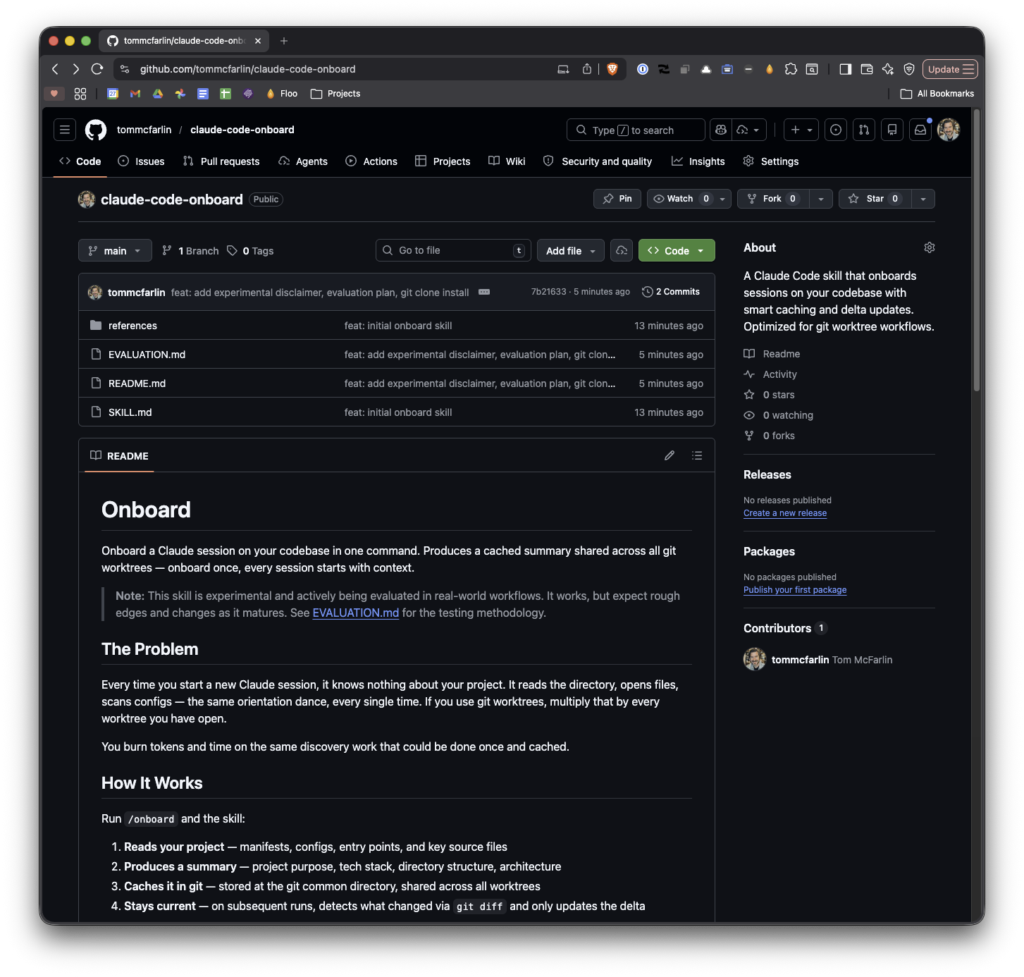
Granted, it’s very much experimental right now (so much so I’m documenting the process of evaluating it).
The Problem
Claude Code is stateless between conversations. It doesn’t remember your project structure, your tech stack, your entry points, or how your modules relate to each other. Every new session is a blank slate.
That means one of two things happens:
- You explain the project context manually each time, or
- Claude spends the first chunk of every conversation reading files and piecing together what it’s looking at.
Neither of these is great. The first is tedious. The second burns time and context window on work that doesn’t need repeating.
What I wanted was a way to front-load that understanding once, cache it, and have it available whenever I need it.
What It Does
The /onboard skill scans the codebase in the current working directory. By default, it runs in key files mode which reads manifest files first (README, package.json, composer.json, Makefile, CLAUDE.md, and whatever else may be there), then entry points and a sample of representative source files. This gives Claude enough context to orient itself without reading every file in the project.
From all of that, it generates a structured summary that includes:
- Project Summary. A brief description of what the project actually does.
- Technologies. Languages, frameworks, tools in play.
- Directory Structure. A tree-style layout of the project.
- Key Entry Points. The main files, scripts, or commands that drive things.
- Architecture Notes. How the pieces connect: data flow, module relationships, patterns used.
That summary gets written to a file inside the .git directory (specifically at <git-common-dir>/claude-onboard.md), tagged with the current HEAD SHA, branch name, timestamp, and which mode was used.
Smart Caching and Delta Updates
This is the part that makes it actually useful day-to-day.
The skill doesn’t blindly rescan every time you run it. It checks whether a cached summary already exists and, if so, whether the stored SHA matches the current HEAD.
There are three scenarios:
- No existing summary. Full scan. Reads files based on the mode (key files by default, or everything with
--read-all), builds the summary from scratch. - Summary exists,
SHAmatchesHEAD. Loads the cache directly into the conversation. No scanning, no waiting. - Summary exists, SHA differs. Delta update. It runs
git diff --name-statusbetween the storedSHAandHEAD, reads only the added and modified files, notes deletions, and updates the summary accordingly. The delta update respects the mode of the original scan: if you onboarded with key files, it only reads changed key files; if you used--read-all, it reads all changed files.
That third case is the one that matters most in practice. You commit a few changes, start a new conversation, run /onboard, and the summary updates in seconds instead of rescanning the entire project.
If something goes sideways or you just want a clean slate, /onboard --refresh forces a full rescan regardless of cache state.
Why Cache It in .git?
First, it keeps the summary out of your working tree. You don’t have to add it to .gitignore, it won’t show up in diffs, and it won’t get committed by accident.
Second, using git rev-parse --git-common-dir (not --git-dir) means the ingest file is shared across worktrees. If you’re using git worktrees for feature branches, which I do regularly, the summary stays available without duplicating it per worktree.
How It Fits Into a Workflow
I run /onboard at the start of most conversations now. For projects I’m actively working on, the cache hits almost every time and the summary loads instantly. After a merge or branch switch, the delta update picks up whatever changed.
The real payoff is in the conversations themselves. Instead of Claude spending the first five minutes figuring out that this is a Python Cloud Function that talks to Cloudflare and creates Asana tasks, it already knows. The first message can be “the owner lookup is wrong in checker.py” and we’re immediately in the code, not in the preamble.
It’s a small thing. But small things compound, especially when you’re running multiple conversations a day across several projects.
Installing It
The skill is available on GitHub. To install it:
$ git clone https://github.com/tommcfarlin/claude-code-onboard.git ~/.claude/skills/onboardAfter that, /onboard is available in any Claude Code session. Use /onboard for quick orientation with key files, or /onboard --read-all when you need the full picture.
The Takeaway
If you’re building custom skills for Claude Code, this pattern – scan, summarize, cache, delta-update – is worth using. The implementation is straightforward: it’s just file reads, git commands, and a structured markdown template. But the workflow improvement is disproportionately large relative to the effort.
Context is expensive. Front-loading it once and caching the result means every conversation after that starts at full speed. It will be interest to report back with more statistics after using this in my day-to-day to see how much more efficient this turns out to be.
