A few months ago I shipped the first version of BurnRate (and another version after that). It’s a macOS menu bar app that showed your Claude Code usage limits at a glance.
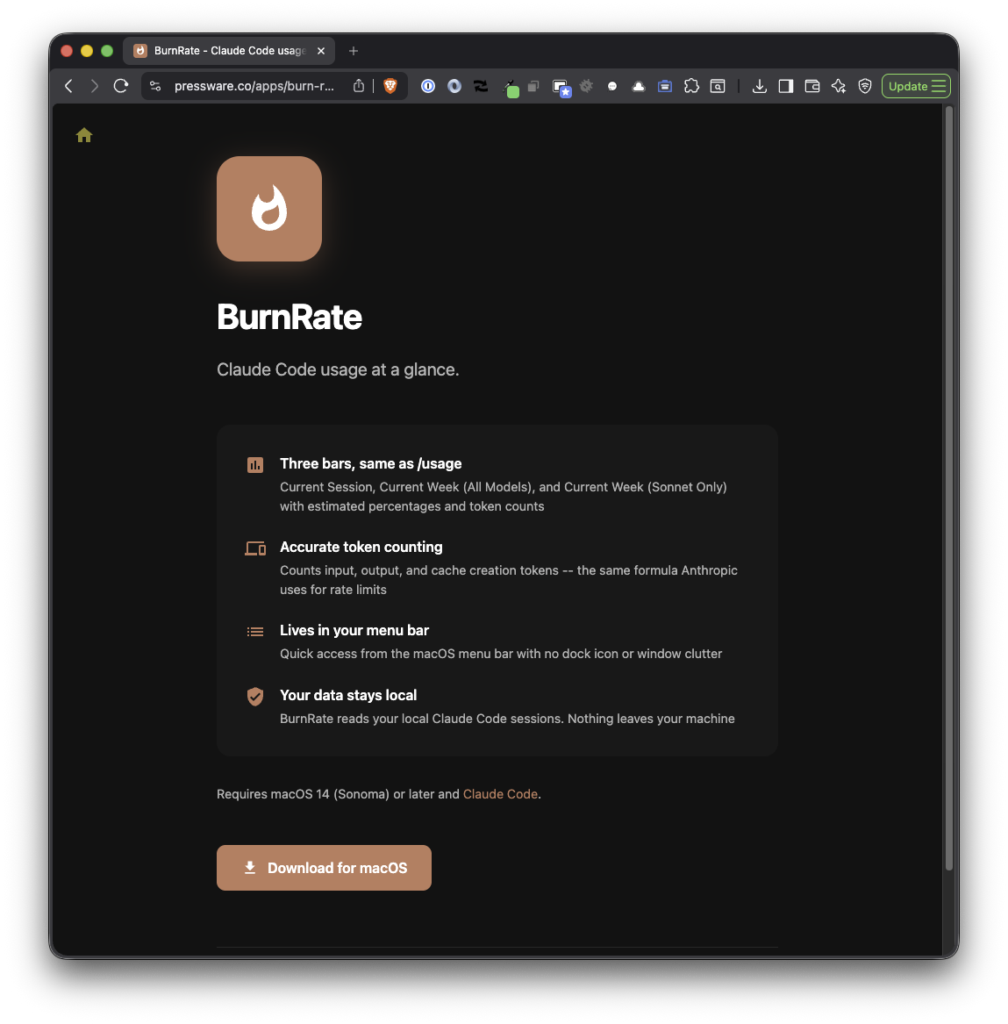
It solved a real problem: I didn’t want to stop what I was doing to type /usage every time I wondered how close I was to hitting my limits.
But Claude Code solved it better.
The Status Line
Claude Code now supports a customizable status line which is a persistent bar at the bottom of your terminal that updates in real time. You can configure it to show anything the session exposes: model, version, context window usage, token counts, git branch, and, like BurnRate, your 5-hour and 7-day rate limits.
Here’s what mine looks like:
Opus 4.7 v2.1.141  main *
01-acme/acme-gms   12%/1M  in:118.1K out:1.0K  5h:0%
Two lines. Always visible. No separate app, no menu bar icon, no Keychain prompts, no OAuth dance. It’s right there in the tool I’m already using.
My Set Up
If you want to do the same, open ~/.claude/settings.json, and add a statusLine entry that points to a shell script:
{
  "statusLine": {
    "type": "command",
    "command": "/path/to/your/statusline.sh"
  }
}
Claude Code pipes a JSON blob to your script’s stdin on every update. Your script parses it and prints whatever you want displayed. Here’s a simplified version of mine that shows the essentials:
#!/bin/bash

input=$(cat)

# Parse the fields you care about
model=$(echo "$input" | jq -r '.model.display_name // "unknown"')

context_used=$(echo "$input" | jq -r '.context_window.used_percentage // "0"')

rate_5h=$(echo "$input" | jq -r '.rate_limits.five_hour.used_percentage // empty')

rate_7d=$(echo "$input" | jq -r '.rate_limits.seven_day.used_percentage // empty')

# Print it
echo "${model} ctx:${context_used}% 5h:${rate_5h}% 7d:${rate_7d}%"
That’s the minimum. You can add color codes, git info, token counts, directory context and/or whatever you find useful. The full JSON payload includes everything from the model name to your working directory to the current git branch.
This is the full version I use:
#!/bin/bash
input=$(cat)

# Colors
G=$(printf '\033[32m')
B=$(printf '\033[34m')
C=$(printf '\033[36m')
Y=$(printf '\033[33m')
M=$(printf '\033[35m')
W=$(printf '\033[37m')
DIM=$(printf '\033[2m')
R=$(printf '\033[0m')
BOLD=$(printf '\033[1m')

# Parse JSON
model=$(echo "$input" | jq -r '.model.display_name // "unknown"')
version=$(echo "$input" | jq -r '.version // "?"')
cwd=$(echo "$input" | jq -r '.workspace.current_dir // ""')
project_dir=$(echo "$input" | jq -r '.workspace.project_dir // ""')
branch=$(echo "$input" | jq -r '.worktree.branch // empty')
context_used=$(echo "$input" | jq -r '.context_window.used_percentage // "0"')
context_size=$(echo "$input" | jq -r '.context_window.context_window_size // "0"')
total_in=$(echo "$input" | jq -r '.context_window.total_input_tokens // "0"')
total_out=$(echo "$input" | jq -r '.context_window.total_output_tokens // "0"')
rate_5h=$(echo "$input" | jq -r '.rate_limits.five_hour.used_percentage // empty')
rate_7d=$(echo "$input" | jq -r '.rate_limits.seven_day.used_percentage // empty')

# Format context size (e.g., 1000000 -> 1M)
if [ "$context_size" -ge 1000000 ] 2>/dev/null; then
  ctx_fmt="$((context_size / 1000000))M"
elif [ "$context_size" -ge 1000 ] 2>/dev/null; then
  ctx_fmt="$((context_size / 1000))K"
else
  ctx_fmt="$context_size"
fi

# Format token counts (e.g., 45230 -> 45.2K)
fmt_tokens() {
  local n=$1
  if [ "$n" -ge 1000000 ] 2>/dev/null; then
    printf "%.1fM" "$(echo "scale=1; $n / 1000000" | bc)"
  elif [ "$n" -ge 1000 ] 2>/dev/null; then
    printf "%.1fK" "$(echo "scale=1; $n / 1000" | bc)"
  else
    echo "$n"
  fi
}

in_fmt=$(fmt_tokens "$total_in")
out_fmt=$(fmt_tokens "$total_out")

# Git info — use worktree.branch if available, else detect from cwd
if [ -z "$branch" ] && [ -n "$cwd" ]; then
  if git -C "$cwd" rev-parse --git-dir > /dev/null 2>&1; then
    branch=$(git -C "$cwd" --no-optional-locks symbolic-ref --quiet --short HEAD 2>/dev/null || git -C "$cwd" --no-optional-locks rev-parse --short HEAD 2>/dev/null)
  fi
fi

git_info=""
if [ -n "$branch" ]; then
  if [ -n "$cwd" ]; then
    git_status=$(git -C "$cwd" --no-optional-locks status --porcelain 2>/dev/null)
    if [ -n "$git_status" ]; then
      git_info="${C}${branch} ${Y}*${R}"
    else
      git_info="${C}${branch} ${G}ok${R}"
    fi
  else
    git_info="${C}${branch}${R}"
  fi
fi

# Directory display — show project name, then relative cwd if different
dir_display=""
if [ -n "$project_dir" ]; then
  proj_name=$(basename "$project_dir")
  if [ "$cwd" = "$project_dir" ]; then
    dir_display="${B}${BOLD}${proj_name}${R}"
  else
    rel_path="${cwd#$project_dir/}"
    dir_display="${B}${BOLD}${proj_name}${R}${DIM}/${rel_path}${R}"
  fi
else
  dir_display="${B}${BOLD}$(basename "$cwd")${R}"
fi

# Context color based on usage
ctx_color="$G"
if [ "${context_used%.*}" -ge 75 ] 2>/dev/null; then
  ctx_color="$Y"
fi
if [ "${context_used%.*}" -ge 90 ] 2>/dev/null; then
  ctx_color="$M"
fi

# Rate limits
rate_info=""
if [ -n "$rate_5h" ]; then
  rate_info="${DIM}5h:${R}${rate_5h}%"
  if [ -n "$rate_7d" ]; then
    rate_info="${rate_info} ${DIM}7d:${R}${rate_7d}%"
  fi
fi

# Line 1: model + version + git
line1="${W}${BOLD}${model}${R} ${DIM}v${version}${R}"
if [ -n "$git_info" ]; then
  line1="${line1}  ${git_info}"
fi

# Line 2: directory + context + tokens
line2="${dir_display}  ${ctx_color}${context_used}%${R}${DIM}/${ctx_fmt}${R}  ${DIM}in:${R}${in_fmt} ${DIM}out:${R}${out_fmt}"
if [ -n "$rate_info" ]; then
  line2="${line2}  ${rate_info}"
fi

echo "$line1"
echo "$line2"
Drop that into ~/.claude/statusline.sh, make it executable via chmod +x, and point your settings at it. Requires jq which you can install via brew install jq if you don’t have it.
Why This Beats a Separate App
BurnRate worked. I used it daily. But there were inherent friction points that no amount of polish could fix:
- Keychain prompts. BurnRate needed OAuth credentials from macOS Keychain. That meant system dialogs, and if you missed one, they’d stack up. I fixed the stacking problem, but the prompts themselves were unavoidable.
- Separate process. Another app running, another thing to update, another thing that could break if Anthropic changed their auth flow or API.
- Lag. BurnRate polled every five minutes. The status line updates live.
The status line has none of these problems. It runs inside Claude Code’s own process, uses the session’s own auth, and updates as the data changes. And if you’re running multiple sessions (like one for work and one for personal), you can see data respective to each session.
Further, there’s nothing to install, nothing to maintain, and nothing that depends on undocumented endpoints.
The Takeaway
I don’t regret building BurnRate. It scratched an itch at the right time, and building it taught me a lot about Swift, macOS menu bar apps, and shipping a real product with update infrastructure.
The AI economy moves fast and if the native tool provides exactly what I need in a more comprehensive form, I’m happy to default to it.
To that end, I’m retiring BurnRate in favor of the status line.
