I wrote this plugin a few years ago to scratch a personal itch: those red notification badges in the WordPress admin menu were more annoying than not while I was trying to focus on other things. (I knew I had updates to complete but I do them on my own schedule and didn’t want the visual noise whenever I was working on something else.)
The original version was a single-file plugin that got the job done, but only good enough. It worked by hiding badges with JavaScript after the page loaded, which meant you’d see them flash for a split second on every page. The toggle was a site-wide option, so if one admin muted notifications, every admin lost them. And the AJAX call used GET for a state-changing action, which was more of a quick hack to get it working than anything else.
So I rebuilt it from scratch. This is version 2.0.0.
What It Does
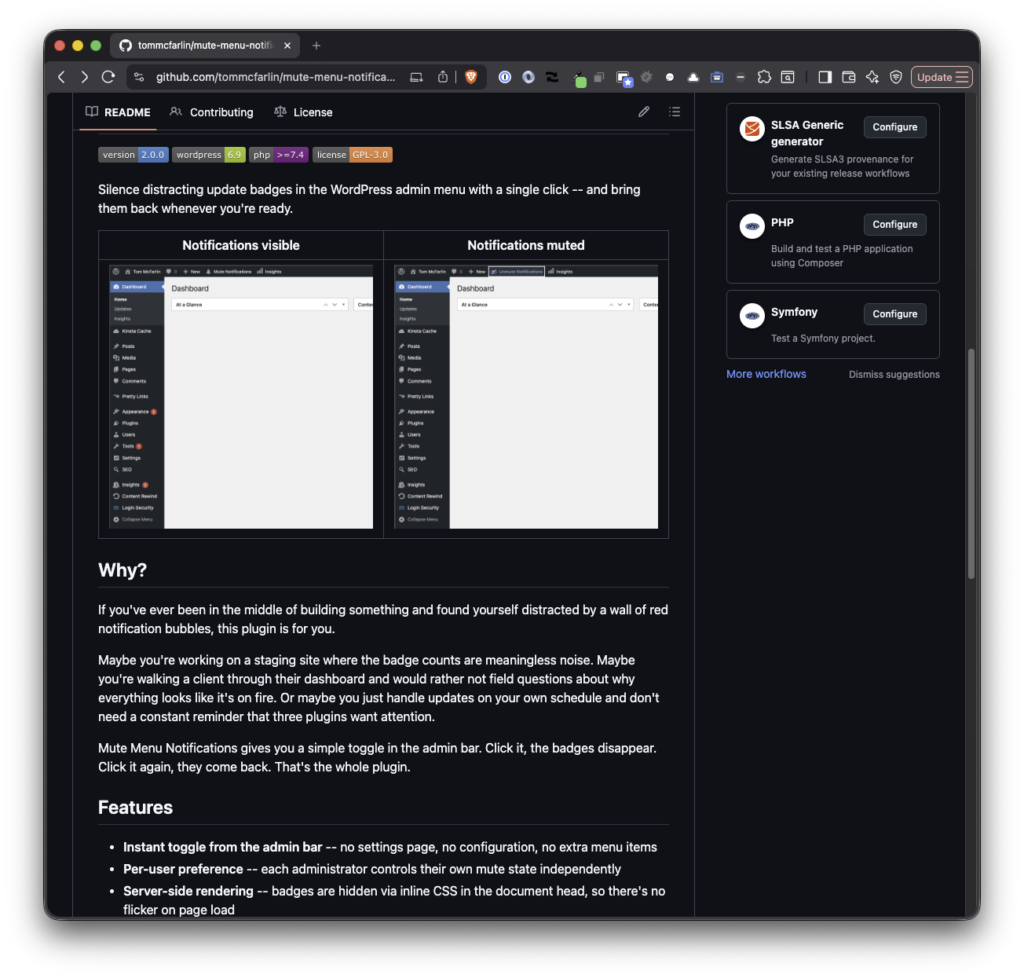
Mute Menu Notifications adds a single toggle to the admin bar. Click “Mute Notifications” and the red update count bubbles disappear from the sidebar, the admin bar Updates item, and the individual plugin update rows on the Plugins page. Click “Unmute Notifications” and they all come back.
That’s it. No settings page, no configuration, no extra menu items.
Why Bother?
If you’re working on a staging site, those badge counts may be noise (of course, depends on what you’re doing). If you’re walking a client through their dashboard, the red bubbles look more alarming than not. If you handle updates on your own schedule, you don’t need a constant reminder that three plugins want attention.
Same goes for if you’re working in production or even on a post on your own site: You want to sign in, draft, schedule, or publish a post, and get out and you’re not concerned with the nags at that point in time.
This doesn’t permanently hide updates (nor should it). It’s about silencing them when they’re not relevant and bringing them back when they are.
What’s New in 2.0.0
The rewrite touched essentially everything.
No More Flicker
The original plugin hid badges with JavaScript after the page finished loading. That meant a visible flash on every page: badges appeared, then disappeared. Version 2.0.0 injects inline CSS in the document <head> during admin_head, so badges are hidden before the browser renders the body. No flicker.
Per-User Preferences
The mute state used to be a single site-wide option. If one admin muted notifications, they disappeared for everyone. Now each administrator has their own independent preference, stored as user meta. Your toggle state is yours alone.
Proper Architecture
The plugin is now structured as a proper OOP codebase with proper autoloading:
AdminBarhandles the toggle button with state-aware labels and dashiconsNotificationMutermanages the mute state and server-side CSS injectionToggleHandlerprocesses the AJAX toggle with nonce verification and capability checksUpdaterchecks GitHub Releases for new versions (more on that below)
Accessibility
The admin bar button includes role="button", aria-pressed, keyboard navigation, and screen reader announcements. Focus indicators, reduced-motion support, and proper error feedback are all built in.
Self-Hosted Updates
Since the plugin isn’t in the WordPress.org repository, I built an updater that hooks into the update_plugins_github.com filter introduced in WordPress 5.8. When you tag a new release on GitHub, WordPress picks it up through its native update system — same “Update available” notice, same one-click install. No third-party update service required.
Under the Hood
The plugin has a full test suite: 31 tests and 40 assertions covering every class, run with PHPUnit and Brain Monkey. It passes WordPress Coding Standards via PHPCS. The JavaScript is vanilla with proper error handling and ARIA state management.
It’s also lightweight by design. No external runtime dependencies, no database tables, no options pages. The SPL autoloader means you don’t even need Composer’s vendor directory in production.
Get It
Mute Menu Notifications is available on GitHub and on the project homepage.
Download the latest release, upload the zip through the WordPress dashboard under Plugins > Add New > Upload Plugin, and activate. The toggle appears immediately in your admin bar.
Requires WordPress 6.9 or later and PHP 7.4 or later.
