A few months ago, I released my WordPress Widget Boilerplate. Since then, it’s received several contributions from the community that’s made it a solid resource off of which to begin building WordPress Widgets.
In that same post, I mentioned that I was working on a boilerplate for plugins but had yet to finish it; however, today – with a little help of a few contributors that have already been watching the repository – I’m releasing the WordPress Plugin Boilerplate.
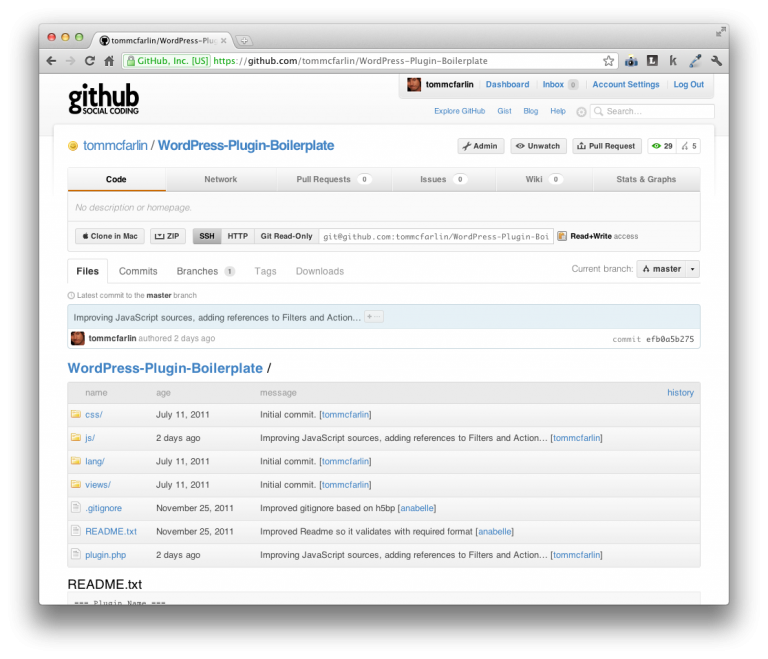
Similar to the Widget Boilerplate, the WordPress Plugin Boilerplate includes the following features:
- File Organization. The Boilerplate ships with both JavaScript sources and stylesheets for both the administrator and the client-side views. It provides a basic localization file to make it easy to localize the plugin. It also includes a stubbed out README that follows WordPress conventions.
- Documented Code. Each file of the plugin and each method of the core code is clearly documented for its purpose in the overall plugin. Additionally, the core code includes various TODO’s to make it easy for your IDE to locate everything you need to populate when working on your plugin.
- API Implementation. The Boilerplate is based on the WordPress API in order to enforce best practices when building on top of the WordPress platform. This makes it easy to develop conventional, familiar code and makes it easy to compare your work with the recommendations of the Codex.
- Action and Filter References. One of the challenges of working with plugins is managing actions and filters. The Boilerplate includes references to all WordPress documentation of both and already includes two templates for both actions and filters.


Thx for that boilerplate.
I just red a post about plugin development. They suggest to use a uninstall.php file to clear up after unstalling. (http://wp.tutsplus.com/tutorials/7-simple-rules-wordpress-plugin-development-best-practices/)
That file don’t fit for every plugins but it could be good for some.
Yep – there’s been a pull request already made for
uninstall.phpthat will be officially folded into the next version.This looks entirely awesome! Massive thanks for such a useful resource.
Sure thing – it’s under active development, too so be sure to follow along to keep up with what we release
.
I have found this boilerplate very helpful. I was wondering if you could add these three things.
1. Load a basic Settings page.
https://github.com/pippinsplugins/Easy-Digital-Downloads/blob/master/easy-digital-downloads.php#L147-#L150
Adding a settings link in the plugin page would be nice too.
https://github.com/fyaconiello/wp_plugin_template/blob/master/wp_plugin_template.php#L73-L86
2. Set constants
https://github.com/pippinsplugins/Easy-Digital-Downloads/blob/master/easy-digital-downloads.php#L112-L137
3. Load some basic files
https://github.com/pippinsplugins/Easy-Digital-Downloads/blob/master/easy-digital-downloads.php#L139-L223
Thanks
Thanks so much for the comment. As far as what’ll go into the boilerplate, here’s what will, what won’t, and why:
1. Most likely not. This isn’t something that includes work with the Settings API which is something that developers may often have to strip out in order to get a plugin going. I have an example for the Settings API already, but my goal for the boilerplate is to make a foundation off of which to build. The less to take away, the better.
2. Yes. At the very least, the next version will include adding constants for versioning to make caching busting of JavaScript and stylesheets much easier.
3. Not sure yet. There’s been some talk about it and I think there’s benefit, but it really depends on the functionality of the files being loaded. We’re already doing that some in the Widget Boilerplate for the views.
Hopefully this answers your questions and gives a reasoning for my stance on certain things. I take all of the suggestions seriously so always appreciate the feedback.
Thank you very much for you reply.
1. Could you tell me how I should load the files to get this to work?
https://github.com/tommcfarlin/WordPress-Settings-Sandbox
2. Great
3. There would not need to be alot of functionality if any just so that I can see how it should be loaded properly.
1. You can just download the zip file and then install the theme in WordPress. That should do it (assuming that’s what you’re asking
).
2.
3. Generally speaking, it’d just be a call to an
include_oncecall, but the next version should take care of this as it’s going to demonstrate how to pull in anuninstall.phpfile.1. I have messed around with the settings in theme but was looking to integrate them in a plugin.
3. Look forward to it.
I working on a plugin and want to work along the best practices.
The Settings API isn’t really any different than what occurs in a theme.
You’d just need to adapt the various books for the menus, options, sections, settings, and fields that you see in the theme sandbox into a plugin.
If you’re building your plugin with OOP practices, then the hooks will be registered in the constructor and the functions implemented as public functions in the class.
Hope this helps!