As we’ve begun regularly publishing Hello Dolly and I’ve started running a few podcasts on Yet Another Blogging Podcast, I was finding the process a bit cumbersome for regularly embedding podcasts into our posts.
To be clear, I’ve been using the jQuery plugin by Codrops to embed audio, but it requires that I hop back and forth between the visual and the text editor when drafting posts.
In order to streamline the process a bit, I wrapped the jQuery plugin to make an easy to use WordPress audio player plugin.
A WordPress Audio Player Plugin
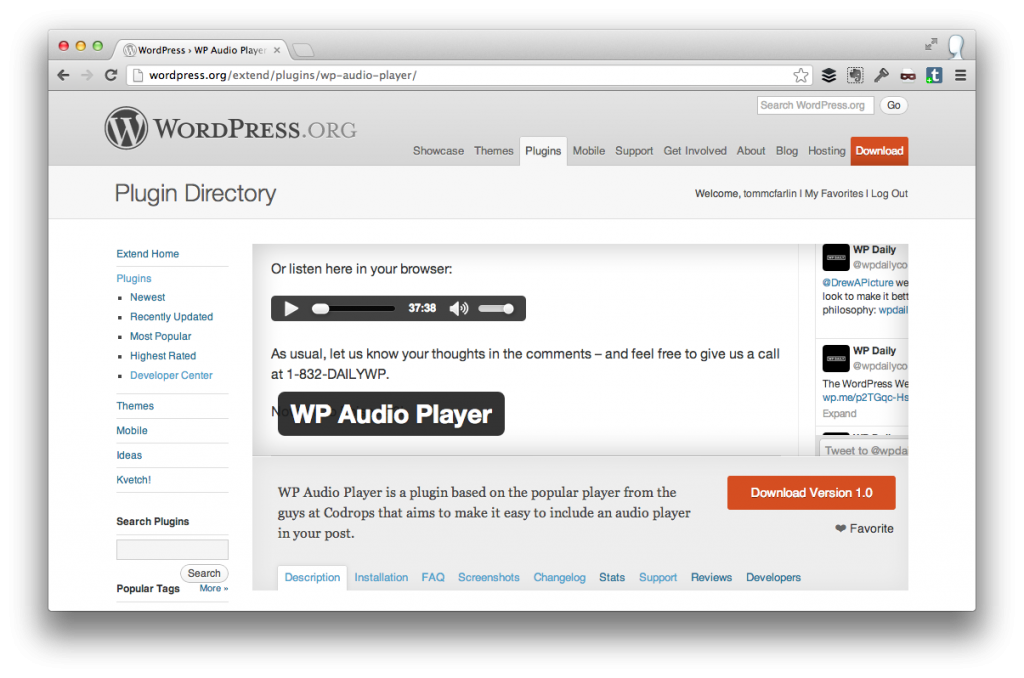
If you’ve read my blog for any amount of time, you know that I believe in releasing strong 1.0′s – or the absolute minimum viable product possible – and I’ve attempted to do just that with WP Audio Player.
In short, I’ve attempted to keep the functionality as close to native WordPress functionality as possible. The plugin expects:
- That you’ll be upload the media via the Media Uploader
- That you’ll be using the URL of the media the WordPress provides after uploading the file
Easy enough, I hope.
How It Works
1. Upload Your Media
First, you upload your media using WordPress’ media uploader. When the process is complete, WordPress will generate a page that includes the URL to the file:
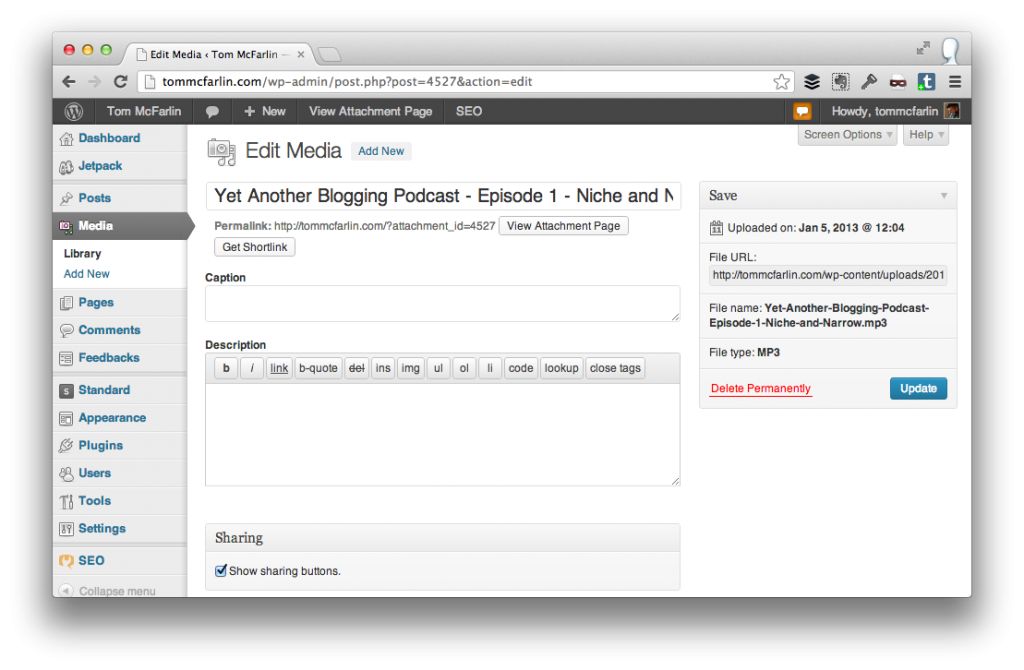
Grab the URL from the Media Uploer
From here, you copy the URL from the File URL meta box of the page.
2. Add The Audio Your Post
Next, you can begin drafting your post – or editing your post – and then place the URL to the audio that was provided by the Media Uploader in the meta box that now appears in the sidebar of your edit screen:
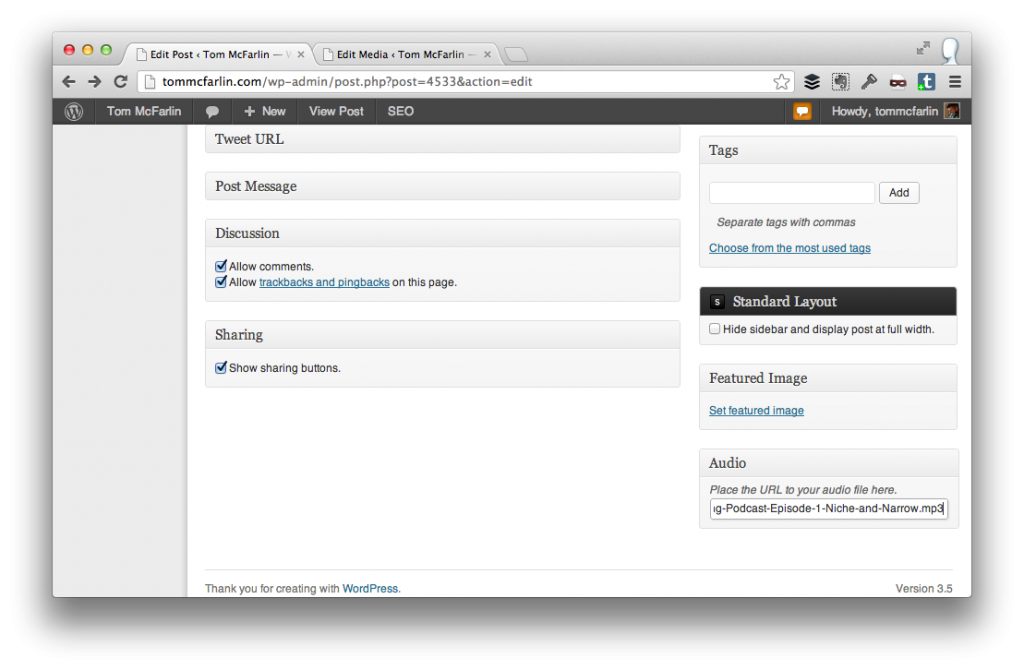
Adding audio to your post
At far as editing is concerned, this is all that you need to do.
3. Profit!
Once you publish your post, the plugin will add the player as the last item in your content:
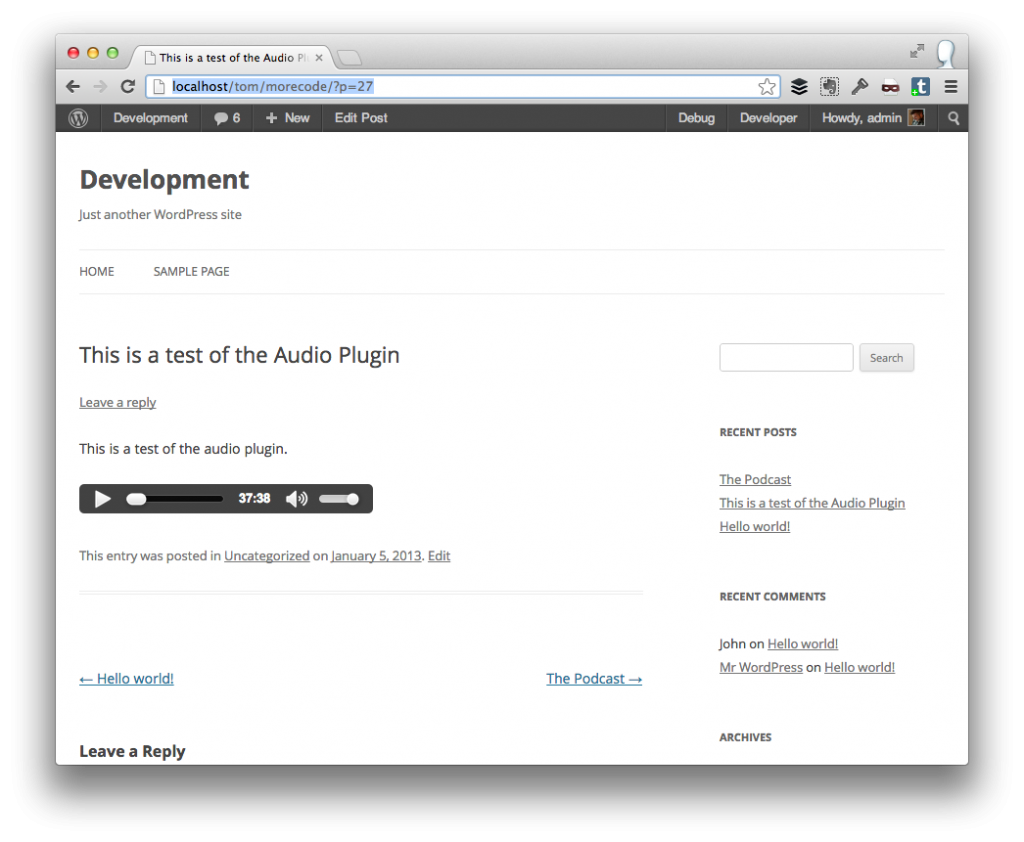
The audio player embedded in a post.
In the current version, the player will always appear at the bottom of the content so you’ll need to be able to plan for your post to account for that.
Permitting the plugin proves useful, I’ll introduce functionality that makes it easier to place it wherever you’d like to include the player.
Other than that, the audio is ready to play.
Downloading The Plugin
You can grab the plugin from the official WordPress plugin repository.
Again, this plugin is mostly a wrapper for the jQuery plugin by Codrops. Though this version doesn’t include any of the fancier skins, the base functionality works and should make it a bit easier to embed audio in your WordPress site.
As usual, I’m all for comments and feature requests, so please leave them in the comments below.


profit? YES!
Always!
Funny enough, that was on my list of things I wanted to build
throw it up on GitHub and I’d be happy to contribute.
Sure thing, dude. That’d be awesome. I’ll aim to do that by the end of the week – I’ll post about it once it’s up so that developers know the goals so we an hopefully build something awesome.
awesome. ping me on twitter or something (I tend not to notice threads, etc) and I’ll hop in there.
Is it just me, or is your plugin incompatible with Firefox? On Hello Dolly: Ep. 1, I can see the audio player in IE, but not in Firefox.
The JavaScript on which this plugin depends appears not to be compatible with the latest version of JavaScript.
I’ll make a note and see about resolving it when I revisit the plugin.
Thanks for the heads up!
What advantages do you see using this instead of the audio player bundled with Jetpack? (Unless, of course, someone’s not using Jetpack
)
Honestly, if they’re happy with JetPack, stick with it.
I’m a fan of the jQuery plugin and it offers a couple of other options – namely styling, responsive, and touch-friendly support that’ll make for a solid plugin once we get rolling on building it out a bit more.
Makes sense. Especially if you’re trying to drop your player into a three column setup and have some pixel restrictions. #bookmarked
Hi,
it’s very convenient and useful. Congratulations. I have only one problem, you might want give me some advices. Details: my theme (PRINCIPLES from obox-design) is the ability to create standard posts and posts in the portfolio section. After installing the WP Audio Player plug-in option to add the player is only visible in the editor standard posts. How can I add the option to add a player in editor in portfolio section? Can you help me? Many thanks for ypur time.
PS. Sorry for my english
No worries – your English is good
.
Right now, the plugin only supports the “post” post type; however, I’ve made a note and will do what I can to update the plugin soon so that it also supports other post types as well.
Tom is there any way I can use the WP Audio player in Buddypress when I want to share an aduio clip?
Honestly, I’ve not tested it with BuddyPress. Right now, the plugin is only meant to allow users to add audio to posts.
If there is a custom post type in BuddyPress or some other specific type of content, let me know and I’d be glad to look into adding it in a future release.
Thanks Tom I’ll manage for now without.
Cheers
I just added a ticket to the project to look into this. We’ve got at least one release ahead of that, so keep an eye on the this blog and/or the project site and I’ll announce it with each release.
YES best one yet! Thanks!
No, thank you!
How to add media to sidebar?
There’s no way to do this in the current version of the plugin. I’ll take it into consideration for a future release, though.
I’d love to use this as a regular audio plugin to just drop a shortcode where I want and have the audio player appear. Any plans on having it versatile this way? Thanks.
I’m considering it – I’m personally not a huge fan of shortcodes, but I do want people to have the ability to drop the audio player wherever they’d like in the post (and be able to add multiple files).
I’m still considering on how best to introduce this functionality, as well as if it’ll be a free or premium feature or not.
Thanks for the feedback, though – always helpful from you guys!