Where Can I Watch? started as a way to answer one question:
Where can I actually stream the title I want to watch?
Over the last few releases it grew into something more: a place to keep a watchlist, track where you are in a show, and see what’s on tonight. But all of that lived on one device. If you looked something up and saved it on your phone, it wasn’t waiting on your iPad. Mark an episode watched on the couch, and the app on your other device didn’t know.
Last time, in 1.6.0, I said the thing people ask me for most is syncing a watchlist that follows you from your phone to your iPad without thinking about it and that it was what I was building next.
1.7.0 is that.
Your List, on Every Device
Turn on iCloud sync and your watchlist comes with you. Everything you’ve saved, plus your per-episode progress, stays in step across the devices signed into your iCloud account. Add a movie on your iPad and it’s on your phone. Mark tonight’s episode watched on your phone and your iPad already knows where you left off including the next-episode resume point that Currently Watching figures out for you.
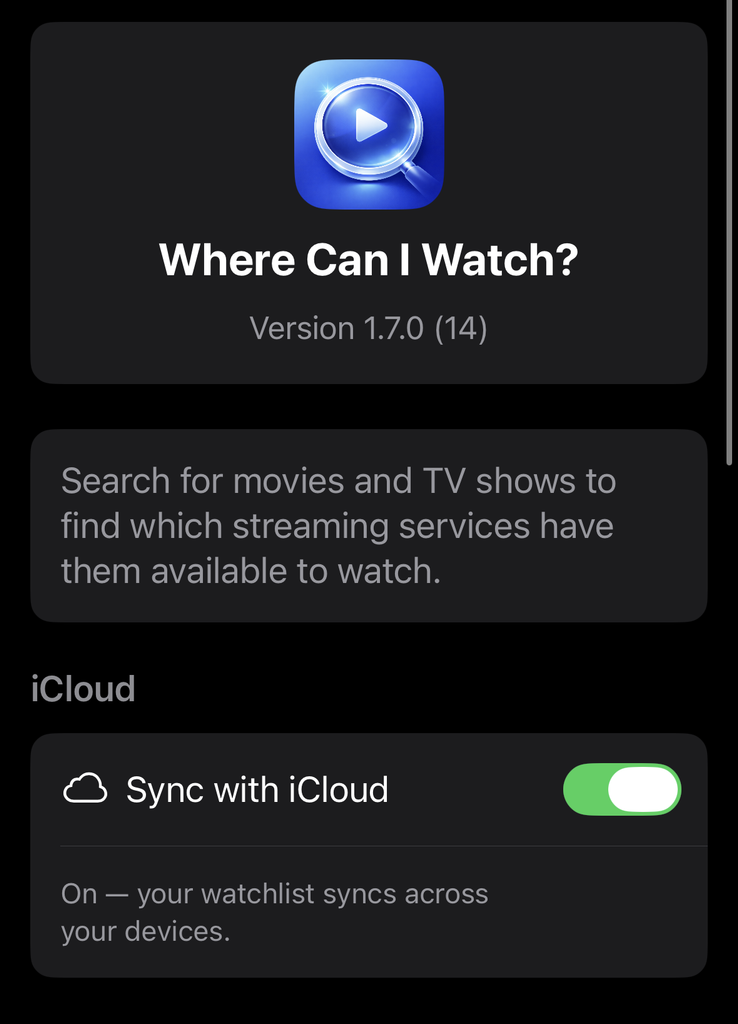
When something new arrives on a device like a title you added somewhere else then the app fills in its poster and details on its own, so your list looks the same everywhere without you lifting a finger.
Off Until You Say So
Sync is opt-in, and it’s off by default.
That was a deliberate choice, too. Turning your watchlist into something that leaves the device is exactly the kind of decision I think should be yours to make on purpose, not a default you discover after the fact. So the first time it’s relevant, the app simply asks. If you’d rather keep everything local, you keep everything local, and nothing changes.
A few things I settled on while building it:
- It uses your own private iCloud. There’s no account to create and nothing stored on a server of mine. Your list lives in your iCloud, the same place your other private app data does.
- You turn it on per device, and off anytime. Flip it off and the app keeps working with everything already on that device; you don’t lose your list.
- The app still needs no sign-up. Sync just borrows the iCloud account your device already has. If you never turn it on, you’d never know it was there.
When iCloud Isn’t Around
Accounts aren’t always available. You might be signed out, have iCloud Drive switched off for the app, or be out of storage. None of that should get in the way of looking up where to watch something.
So when iCloud can’t be reached, the app stays completely usable on its own, and a small line in Settings tells you why sync is paused rather than leaving you guessing. When your account comes back, it picks up on its own.
Smaller Things
- Removing a show from your watchlist now clears its episode history cleanly, too. Before, those records could linger and quietly bring old progress back if you re-added the show later.
- JustWatch is now credited as the source of streaming-availability data both on each title and in Settings alongside TMDB. It’s the data behind “where can I watch this,” and it should say so (and I’m required to do so anyway, so there’s that).
What’s Next?
Building sync meant laying groundwork with a little more room in it than this release strictly needed and the door it opens next is one I’ve wanted for a while: sharing a list with someone else, so you and the person you actually watch things with can keep one watchlist between you. I’m not putting a date on it, but that’s the direction.
For now, I just wanted your list to stop living on one device. It doesn’t anymore.
Where Can I Watch? 1.7.0 is free on the App Store. No ads, no accounts, no subscriptions. Every feature is there for everyone. It uses data from TMDB and JustWatch, and if you use the app and something’s off like a title in the wrong place, or an episode that won’t sync the way you’d expect then I’d genuinely like to hear about it.
