For the last few releases, I’ve ended these posts the same way: with a promise that a detail-page overhaul was coming. Ratings, runtime, a clearer view of which of your services actually carry a title. With 1.5.0, it’s here, along with one feature I’ve wanted for a while: searching by the people in front of the camera.
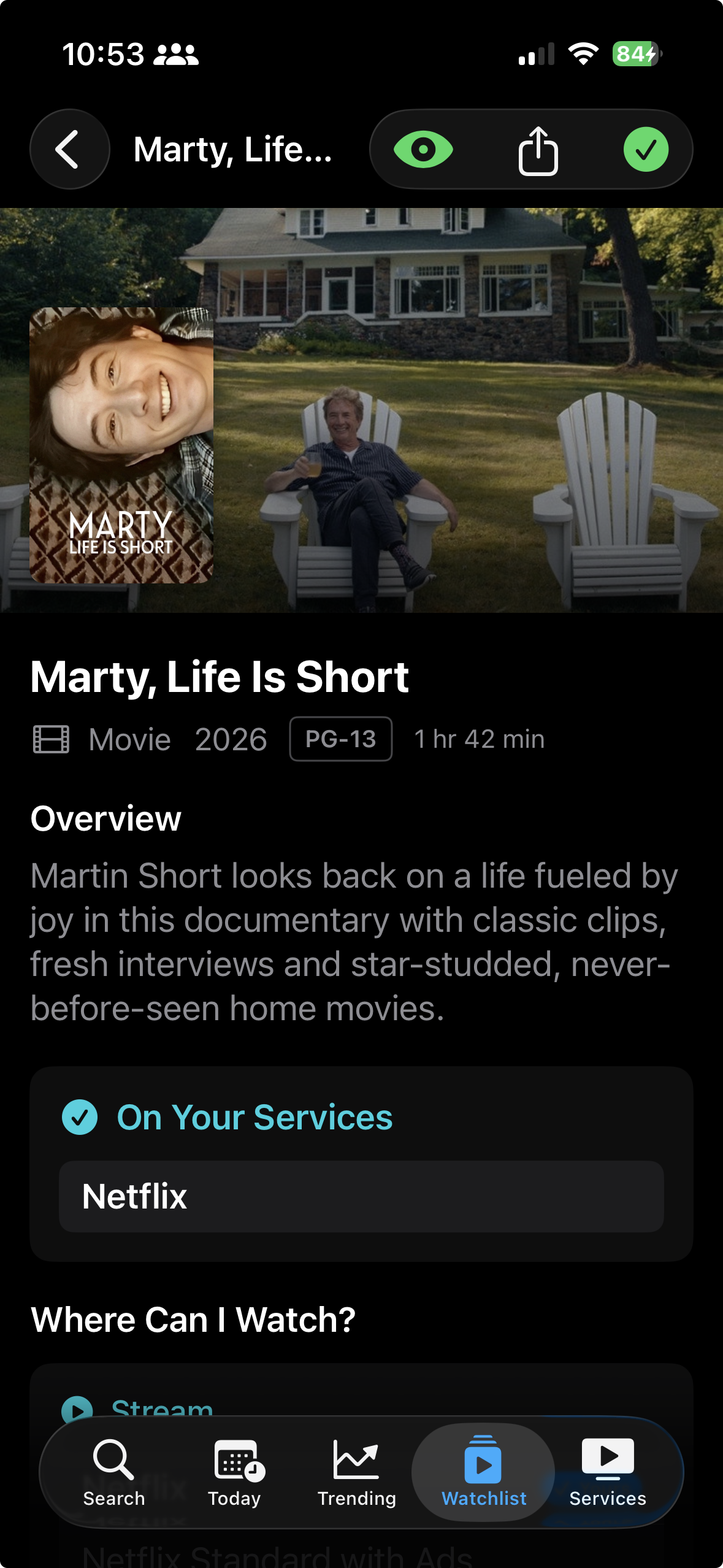
A Better Detail Page
The detail page used to answer “where can I watch this?” and not much else. Now it tells you more about the thing you’re deciding to watch in the first place.
- A content rating badge. The US certification, R, PG-13, TV-MA, TV-14, and so on, now appears in the title’s metadata line for both movies and shows, whenever TMDB has a US rating for it.
- Runtime for movies. The full runtime (“2 hr 19 min”) sits right in that same line. I left it off TV on purpose; the episode list already shows how long each episode runs, so repeating it on the show itself would just be noise. Further, in the age of streaming, episodes aren’t consistently the same length.
- An “On Your Services” section. This is the one I cared about most. Above the full list of every place a title is available, there’s now a section that shows, at a glance, which of your selected services carry it. If none of them do, it says so plainly. If you haven’t picked any services, it stays out of the way entirely.
That metadata line, type, year, rating, runtime, now also wraps to a second line instead of truncating or misaligning when you’re using large Dynamic Type sizes. Small thing, but it’s the difference between readable and broken at accessibility text sizes.
Search by Person
Until now, search was about titles. You typed a movie or a show, and you got a movie or a show.
Now it’s also about people. Search a name and you’ll see actors and other people alongside the usual results, with a new People filter to narrow things down. Tap a person and you get their movie and TV credits and, because this is still Where Can I Watch?, where you can watch each one, with the same watchlist and detail actions you already use everywhere else.
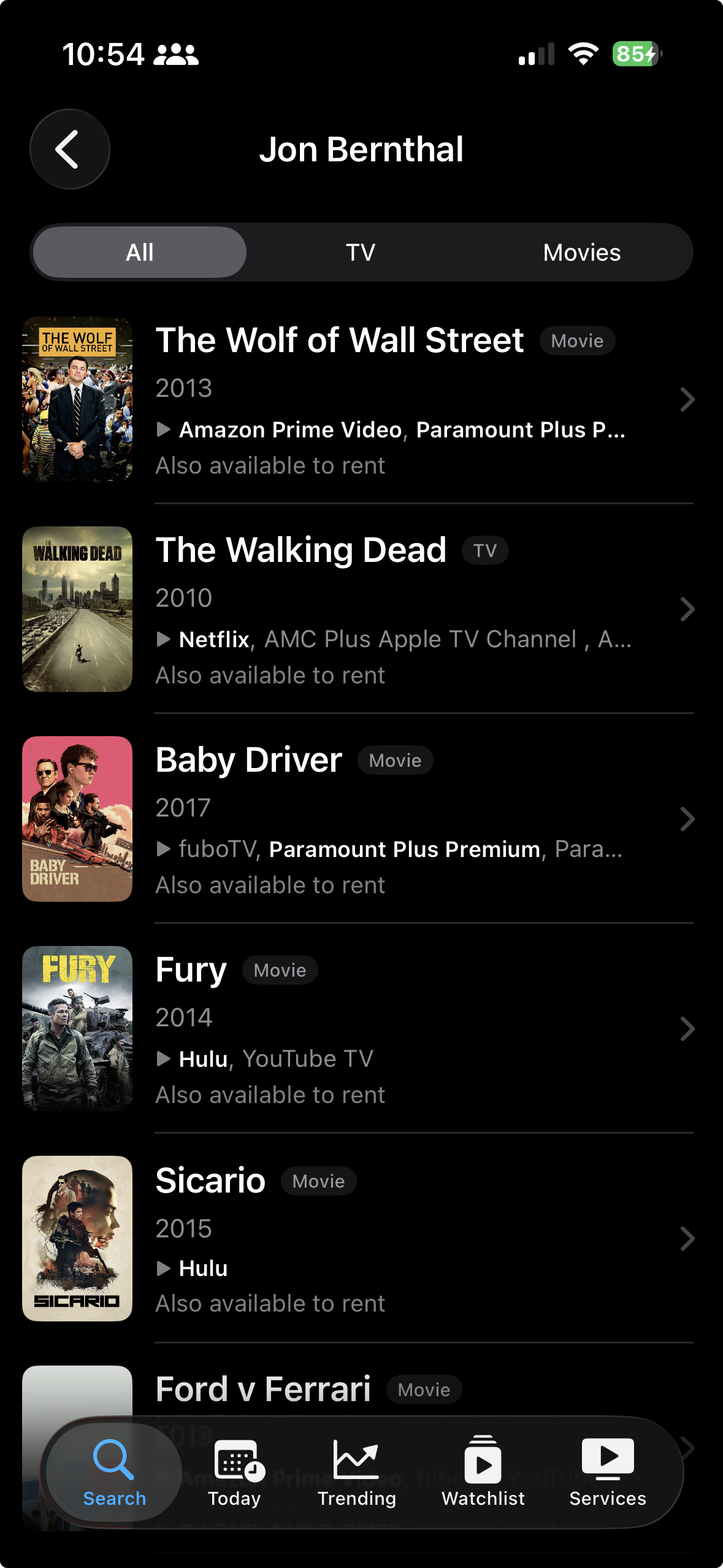
It’s the answer to a question I ask constantly: “what else is that actor in, and can I watch any of it tonight?”
A Few Smaller Additions
- Search your watchlist. Pull down on the Watchlist to reveal a search field that filters your tracked items by title or by streaming service. Type “Apple TV” and you’ll surface everything you track there. It ignores case and accents and respects whichever filter you’re already on.
- Cleaner recent searches. Recent searches now save when you actually submit a search or open a result, instead of saving while you type. No more half-finished queries piling up in your history.
What’s Next
This release closes out the detail-page work I’ve been teasing for a few posts now, which feels good to finally say. The foundation is in better shape than it’s ever been, so the next round is less about big structural changes and more about sanding down whatever still feels rough.
If you use the app and something bugs you or you wish it did one more thing, I’d like to hear it.
If you haven’t tried Where Can I Watch? yet, it’s free on the App Store. Still no ads, no accounts, no subscriptions.
