Software Engineering in Web Development, Backend Services, and More

Tag: WordPress (Page 25 of 220)

Articles, tips, and resources for WordPress-based development.

Structuring API Functionality (with a Separation of Concerns)

I don’t have a lot of experience when it comes to creating APIs. I’ve done a fair share of work when it comes to integrating WordPress with third-party APIs, but I’ve spent very little time working on creating a system that has its API with which other systems can interact.

As far as the latter is concerned, I’m actually in the middle of doing that (and I’m learning a lot). The gist of the project is there’s an iOS app that’s interacting with WordPress via the REST API in a bi-directional way.
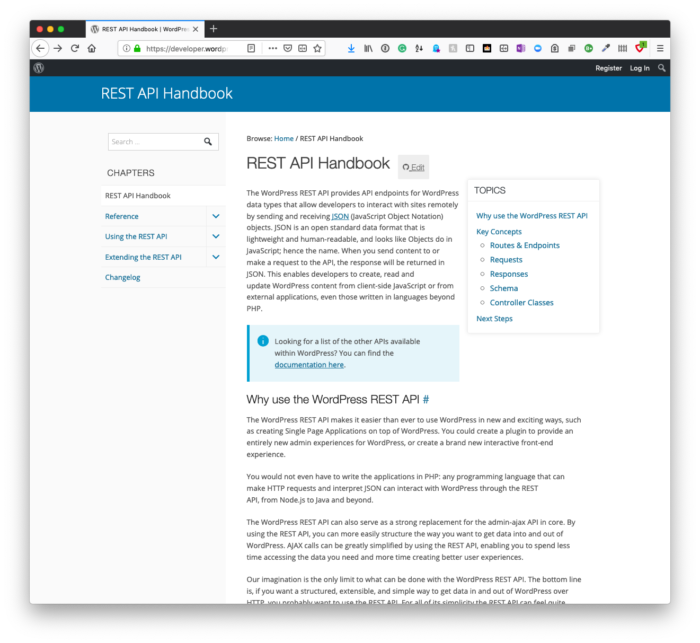
Structuring API Functionality: The WordPress REST API

I’m eager to share more about it, but I need to do so when the project is further along.

But when it comes to working with third-party APIs and then building components of a WordPress project that interact with them, two of the things I consistently find useful are:

And the last two points above are what I’m looking to cover in this post.

Continue reading

A General Example of the Repository Pattern in WordPress

In my experience, the way we first interact with the repository design pattern often influences how we think about the pattern. (The whole first impressions are lasting impressions, right?)

The purpose of this post is to show how it can be implemented in WordPress specifically when writing object-oriented plugins to read data (writing data may be covered in another post), but before doing that  I tried to think of a few consistencies among the variations of the pattern that I’ve seen.

Generally speaking, this is what I think a repository pattern should do:

  • provide a single place to read data,
  • abstract the details of how the data is accessed,
  • and have a consistent interface for doing so.

This means that whatever it is you need to retrieve from the application can be retrieved from the database. But how its retrieved can be considered a black box. That’s up to the developer implementing the pattern.

And in the case for those who read this post, that’s most likely us.

Continue reading

Tools for Writing Better WordPress Code: Composer

Although I think the title of this series and the articles for each are clear enough, there are other things I’m aiming to do with this series in contrast to the other series I’ve written up to this point, too.

Specifically, two of the things that I’m trying to do is to two:

  1. keep each article relatively succinct (in comparison to how previous articles have been),
  2. focus on one thing at a time and keep the description of it short.

Since this is membership content, I don’t mind it being a bit longer than usual, but I also don’t want it to be so long that it’s hard to follow. I’d rather it be a short read with something practical that you can implement after reading each post.

And one of the things that greatly helps with writing better WordPress code is Composer.

Continue reading

Tools for Writing Better WordPress Code: Introduction

Over the last few years, I’ve talked a lot about the nature of code quality and various tools, processes, and libraries that I recommend using when it comes to writing code for WordPress.

I’m also open that that majority of the work that I do is in backend development. This means that I work predominately on WordPress plugins using object-oriented programming and don’t work much with templates nor as much with front-end technologies.

It’s by choice, and I’m really happy with where I am. But I digress.

If you’re in the business of doing the same thing (or doing it as a hobby), it’s not just about writing the code. It’s about having proper tooling in place.

I’ve alluded to a few in these in previous posts, but I’ve not walked through the tools I use and the set up I use whenever I’m building a solution for myself or someone else.

At least not in an organized manner.

In this series, I’m going to do exactly that:

I’m going to cover the tools I use, the libraries I use, and how I use them.

Ultimately, the goal is that those of you who read this can incorporate them in your day-to-day work to write better code.

Continue reading

Considerations for Design Patterns for WordPress

The longer you work with a given platform, the more you begin to recognize certain ways to do something. And it’s very likely that you’ll begin to recognize two things these things can be done:

  • in a way that’s fast to develop, but harder to maintain or
  • in a way that’s slower to develop, but easier to maintain.

Of course, like any project, requirements, constraints, budgets, and time are all going to impact what you’re able to implement. But what I’m getting at is that regardless of how you implement a solution, you begin to get familiar for how to solve a given problem.

If a problem has to be solved quickly, then you know the tradeoffs, but you likely know how to do it quickly. Similarly, if you have a little more time (and budget), you can develop it another way, and you’ll know how to do it and possibly even wrap it up with test suites if the constraints allow for that.

Regardless of how you have to implement a solution, you know the ways that you can do it.

And this raises a question:

Are there design patterns specific to a given platform? And if so, what are some of the design patterns that may be available in WordPress?

Continue reading

« Older posts Newer posts »

© 2026 Tom McFarlin

Theme by Anders NorenUp ↑