If you spend any meaningful amount of time working with Claude Code, you’ve likely noticed it doesn’t actually know what time it is beyond when you start the initial session.
It knows the date, more or less. But ask it to reason about “this morning” versus “last night,” or how long a build has been running, or whether it’s even the same day you started, and you’ll watch it guess. So you do what I did for weeks: you open a message with “it’s Thursday at 9am Eastern” just to give it its bearings.
That gets old. And it turns out the fix is small.
The Problem
Here’s the workflow that exposed it. I start a session in the morning. I leave it open:
- through meetings,
- through lunch,
- overnight,
- and I do this for weeks.
So when I get back to my desktop and type a new message into the same session, Claude has no idea time has passed.
Leaving for twelve hours and leaving for one minute look identical. Nothing in the conversation tells it otherwise, so it carries on as if no time has passed at all.
In a situation like this, our instinct is to reach for a slash command. Something like /now and have it recalibrate. But that’s still me doing the work. I wanted the session to know the time without me announcing it. It’s too much work for such a trivial feature.
What It Does
The fix is a hook. Claude Code can run a shell command at specific points in its lifecycle and feed the output back into the model’s context. One of those points is every time you submit a prompt.
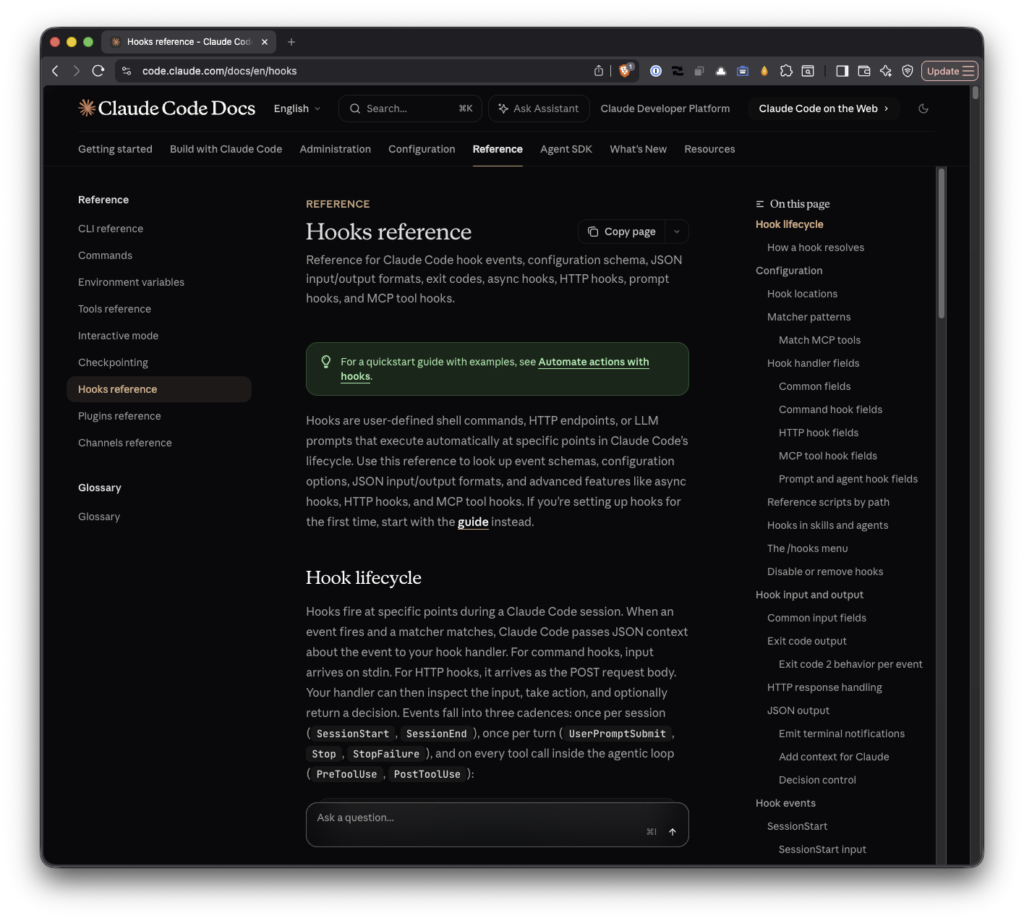
So I wrote a hook that runs date, formats it nicely, and injects the result into context before Claude ever reads my message. Every prompt I send now arrives pre-stamped with the current local date, time, and timezone. I don’t type anything. It’s just there.
The result looks like this from Claude’s side:
Current local date and time: Friday, June 26, 2026 at 9:17 AM EDT (UTC-0400).Regardless of if you’re idle for a minute or idle for twelve hours, the next message I send always carries the real current time.
Why SessionStart Was the Wrong Door
My first attempt used a SessionStart hook, and on paper it seemed right. It fires when a session spins up, injects the timestamp, done.
Except “session start” means exactly that: launching claude, resuming, clearing, compacting. It does not fire when you leave a terminal open overnight and type a message the next morning because no new session began. The hook had already run twelve hours ago, and its timestamp was frozen in amber.
So it solved the wrong problem. It handled “I just opened Claude” when my actual problem was “I never closed Claude.”
The right event is UserPromptSubmit. It fires every single time I hit enter. Stamp the time there, and the clock refreshes on every message regardless of how long the session sat idle. The cost is one small line of context per turn, which is a rounding error against the value of Claude actually knowing what day it is.
How the Command Works
I’ve got a gist for this but here’s the whole thing:
{
  "hooks": {
    "UserPromptSubmit": [
      {
        "hooks": [
          {
            "type": "command",
            "command": "jq -n --arg ctx \"$(date '+%A, %B %-d, %Y at %-I:%M %p %Z (UTC%z)')\" '{hookSpecificOutput:{hookEventName:\"UserPromptSubmit\",additionalContext:(\"Current local date and time: \" + $ctx + \". This is refreshed on every message; use it as your reference for \\\"now\\\" and \\\"today\\\".\")}}'"
          }
        ]
      }
    ]
  }
}
Breaking it down:
date '+%A, %B %-d, %Y at %-I:%M %p %Z (UTC%z)'produces the human-readable stamp. Specifically, for today,Friday, June 26, 2026 at 9:17 AM EDT (UTC-0400).
jqwraps that string in the JSON shape Claude Code expects. The key piece ishookSpecificOutput.additionalContext. That’s the field whose contents get injected straight into the model’s context.
- The
hookEventNamehas to match the event the hook is attached to (UserPromptSubmit), or Claude Code ignores the output.
No network calls, no dependencies beyond date and jq both of which are almost certainly already on your machine. (And, if not, can be installed via Homebrew.)
Again, all of this along with a README is located in this gist.
How It Fits Into a Workflow
The framing is that this isn’t a feature you use; it’s a friction you stop noticing. I no longer think about telling Claude the time, because I never had to start a sentence with it again.
It matters most for the long-lived sessions such as the ones you keep open across a workday or leave running while you sleep. Anything that involves “today,” “yesterday,” scheduling, or elapsed time now just works, because the model is reading a fresh clock on every turn instead of a snapshot from whenever the session happened to start.
Installing It
This one isn’t a skill you clone, it’s a few lines of config. Open your settings (~/.claude/settings.json for the global version that applies to every project) and merge the hooks block above into it. If you already have a hooks key, add UserPromptSubmit alongside what’s there rather than replacing it.
You can confirm it’s valid with `jq`:
$ jq '.hooks.UserPromptSubmit' ~/.claude/settings.jsonIt takes effect on your next prompt with no restart required, since Claude Code reloads settings when the file changes. If it doesn’t kick in, open /hooks once to force a reload.
The Takeaway
The interesting part of this isn’t the timestamp. It’s that hooks let you close the small gaps between what Claude Code assumes and what’s actually true and that the right gap is often not the obvious one.
I spent my first attempt solving “Claude doesn’t know the time at startup” when the real problem was “Claude doesn’t know that time is passing.” Same symptom, different door. The hook didn’t get good until I changed which event I hung it on.
That’s the pattern worth keeping: when something feels like it should already work, there’s usually a small, boring piece of plumbing missing. Hooks are where you put it.
