We have a Samsung Frame in the living room, and most of the time it’s doing exactly what it’s supposed to do: hanging on the wall, rendering a picture.
But trying to navigate the proprietary interface and applications is a pain; it’s convoluted and slow.
Basically, getting one of our own photos onto it means finding the right app, signing in, waiting for it to find the TV, and hoping the upload works. It’s fine once. It’s not easy for anyone in the house does on a whim, so the same handful of images sat there for months.
And I wanted something simpler, easier, and faster. I wanted out of the proprietary lock-in that the recommend apps provide. Ultimately, I wanted to be able to open a page on my phone, pick a photo, and have it immediately set.
And that’s what Curator does.
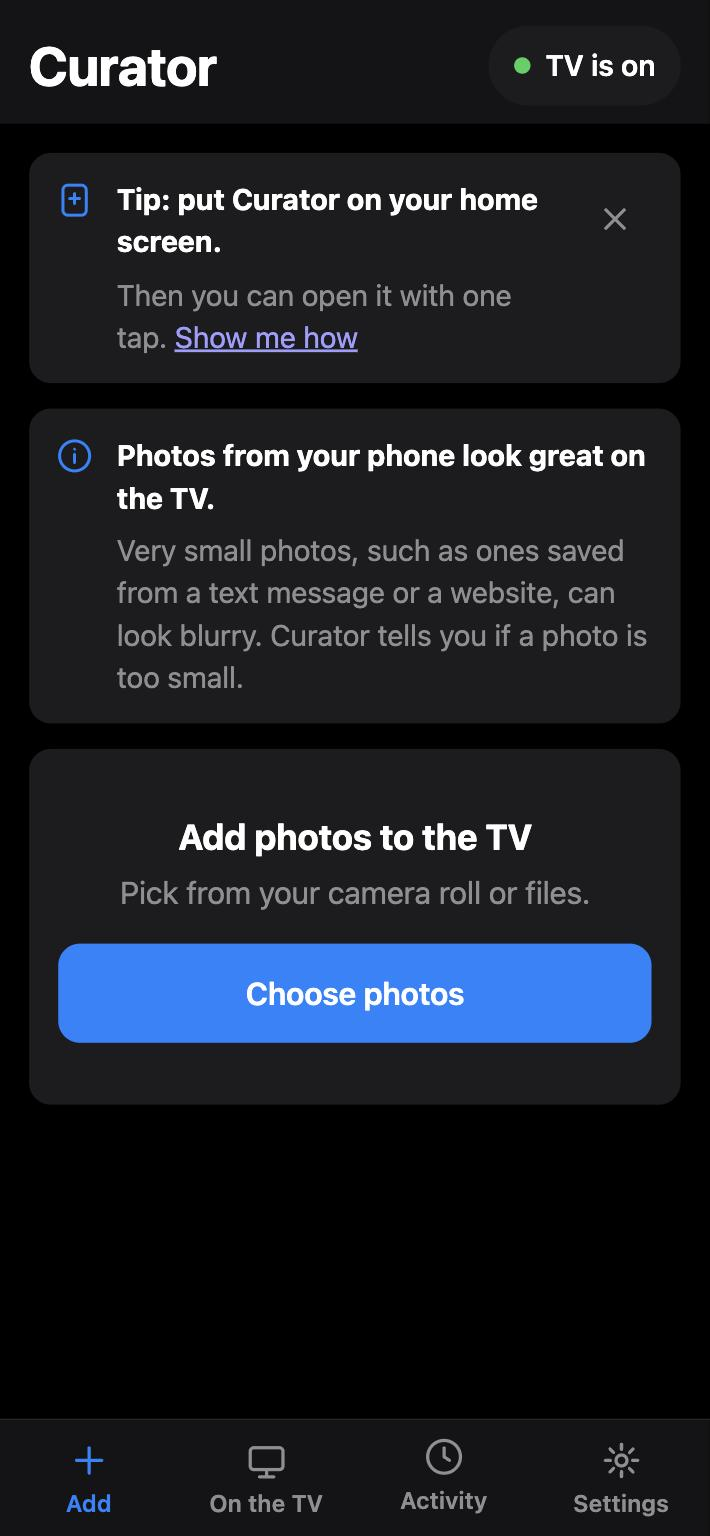
What Does Curator Actually Do?
Curator is a small app that runs on a Raspberry Pi on your home network. It talks to The Frame’s Art Mode directly, and it gives everyone in the house a simple web page to use from their phone (since it’s local, there’s nothing – and no need – to install anything from an App Store).
- Pick a photo, send it. Choose one or more photos from your phone. Curator resizes them for the TV and uploads them. You can show one right away or just add it to the collection.
- It frames the photo for you. The Frame is a 16:9 screen. You can fill the screen and choose which part of the photo to keep, or show the whole photo with a matte.
- It waits when the TV is asleep. If the TV is off, Curator holds on to the photo and sends it as soon as the TV is back.
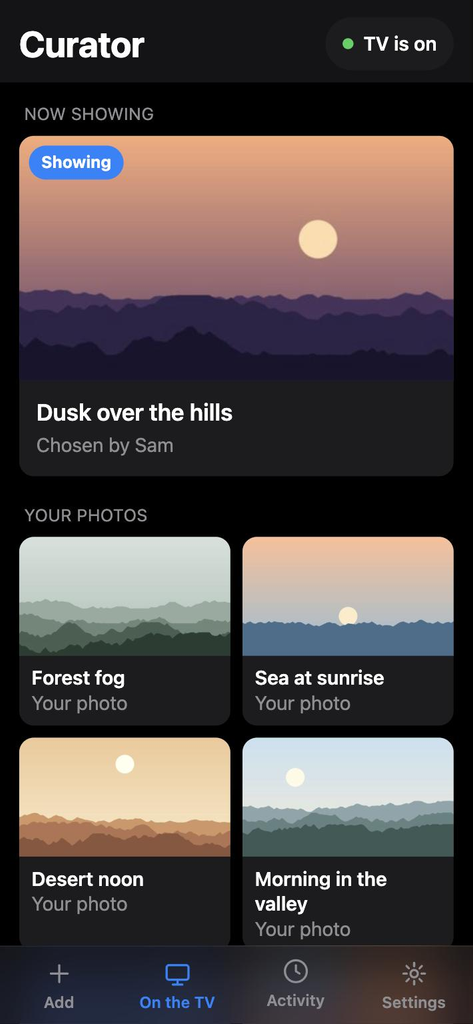
- It shows what’s on the TV. You can see everything in Art Mode, pick what’s on screen, and remove the photos you added.
- It keeps a little history. An Activity list shows who added what, so you know where that photo of the dog came from.
- It’s easy to share. Settings shows a QR code, so anyone else in the house can open it on their phone.
Get It
Curator is free and open source under the MIT license. The code is on GitHub.
You’ll need a Samsung Frame, a Raspberry Pi on the same network, and about 15 minutes. The README walks through the install. A setup step searches your network for the TV, so you don’t have to go hunting for its address.
And if you’d rather not do it by hand, there’s a guide in the repo written for an AI agent. Hand it to the one you use, and it will walk through the install with you, asking before it changes anything.
Note
I’ve tested Curator on a 2021 Frame. Newer models should work, but I haven’t been able to confirm that yet.
Curator can’t turn the TV on. When The Frame’s screen goes black, it drops off the network, so if you have Night Mode turned on in Art Mode, the TV will be unreachable in a dark room. Photos you send in the meantime wait in line until it’s back.
There’s also no login. It’s meant for your home network, and that’s where it should stay.
If you try it and something’s off, open an issue.
