Software Engineering in WordPress, PHP, and Backend Development

Category: Articles (Page 119 of 258)

Personal opinions and how-to’s that I’ve written both here and as contributions to other blogs.

How To Prevent Direct Access To Your Plugin

As developers, one of the most important things we can do is prevent direct access to your plugin. By this, I mean if someone gets clever and tries to access to one of the files located in any given plugin’s directory, they should not be able to execute any of the code in the script.

Prevent Direct Access To Your Plugin

A simple plugin’s directory from which the below source is pulled.

And I know: This seems like something that’s easy (it is), but even in a recent project, I’m reminded how it’s not something that even some of the most useful plugins do.

I can only chalk this up to lack of awareness or perhaps lack of education. If you’re not setting your work up to prevent direct plugin access to your plugin, you’re leaving a significant security gap in place, and it’s something that can be easily corrected.

Continue reading

A Primer on Options and The WordPress Object Cache

When working on a site, blog, or project on WordPress, it’s not at all uncommon to hear users (developers, designers, bloggers, and so on) talk about caching.

Caching can be a tricky subject to tackle, though. I think that most people have an understanding that caching, in general, can be used to speed up a site. But regarding what it does, how it works, and any other details beyond that are hit-or-miss, pun intended, depending on your level of experience.

And one area in which I see – and have personally experienced – is the understanding of the WordPress Object Cache. Feel free to click the link, though it’s far more advanced than what I plan to cover in this article.

That is, WordPress provides some basic functionality for loading the options in the wp_options database table, but how WordPress caches data, how WordPress retrieves non-cached data, and how it works is often glossed over or assumed to be a sort of magic.

The Magic of WordPress

How it feels to work with the magic of WordPress (and not understanding what’s happening).

So I thought it might be worth sharing a few notes about the WordPress Object Cache and how it works with objects if for no other reason that to provide a quick reference for what it is, how it works, and how we, as developers, can leverage it to our advantage.

Continue reading

What Are WordPress Plugins, Anyway?

For those who work with WordPress on a daily basis, the ideas of WordPress themes, WordPress plugins, and other WordPress-related topics become second nature.

As is the case with anything any of us do on a regular basis.

Anyway, when there are others who are interested in getting started with WordPress either as content managers, bloggers, or developers, there’s a lot to learn. And sometimes, when we talk about WordPress plugins in blog posts, WordCamp presentations, and podcasts, we assume that the audience already has some understanding of the words we’re using.

But that’s not always the case. Some time ago, I started a series for Envato on Understanding WordPress Themes and Plugins.

Recently, the second portion of the series ran in which I talk about WordPress plugins specifically targeting those who are looking to have a greater understanding of what they are, how they work, and how they fit into the overall WordPress economy.

Continue reading

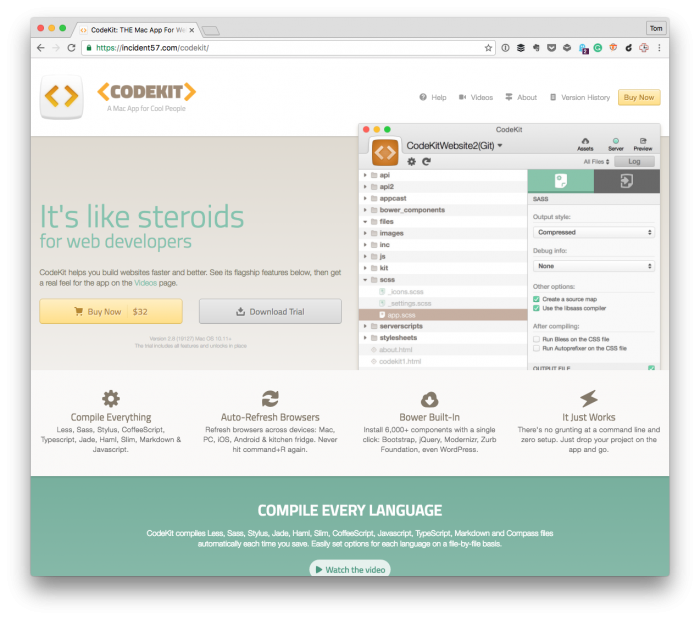
How To Concatenate JavaScript Files with CodeKit

Of all the various build tools that are available right now (such as Gulp, Grunt, and others), I still find myself using CodeKit. I’ve been a fan of it for a long time, and it still fits well into my workflow.

Concatenate JavaScript Files with CodeKit

It’s not that I’m making a case for you to use it, but if you are using it, then there are some that it offers that aren’t immediately evident. Things that other build tools tend to make a bit easier to achieve.

For example, when I’m working on a project for WordPress that will focus on a single area of the application, such as the administration area, then I prefer to take all of the various JavaScript files I’m writing and then concatenate them into a single, minified file.

CodeKit makes this possible in two ways: Through the GUI and directives in an individual file.

Continue reading

How To Perform Unit Testing with Pressmatic

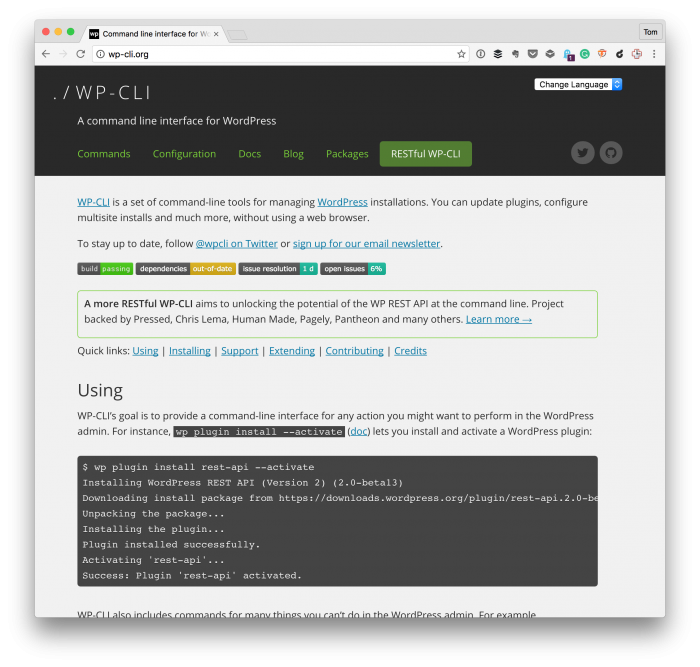
I’ve been using Pressmatic for some time now, and I’m enjoying it. I’ve written about it in several posts (many of which you can see here). And one of the things that I dig the most about the software is that it comes with WP-CLI out of the box.

Unit Testing with Pressmatic and WP-CLI

From the homepage:

Simple root SSH access to individual sites. WP-CLI provided. Simply type wp after opening site SSH.

I’m currently working on a project in which I want to do some unit testing with Pressmatic. And though WP-CLI comes with the software, I need to do two type of testing:

  1. Unit testing with PHPUnit that does not require any WordPress scaffolding,
  2. WordPress-specific tests that does require the WordPress scaffolding.

Because Pressmatic uses a virtual machine setting up the necessary software is a little bit different than when you’re using something such as MAMP.

Continue reading

« Older posts Newer posts »

© 2026 Tom McFarlin

Theme by Anders NorenUp ↑