Tom McFarlin

Software Engineering in Web Development, Backend Services, and More

Page 129 of 429

Refactoring WordPress Plugins: A Small Example

One of the ways that WordPress plugins come to be is that, at least in my case, they start off as a collection of functions used to help with a particular purpose for a given project. From there, you think “Hey, maybe someone else will find this useful.”

At least that’s been my experience more often than not.

But the thing is that before you release it for other people to try, you want to go through the process of cleaning up the code. I’m not talking about refactoring WordPress plugins, either – at least not yet.

I’m talking about taking the code, bringing it up to something that will work as a WordPress plugin, and then possibly refactoring the code.
Continue reading

WordPress Versus Medium: Does It Really Matter?

This past weekend, I spent time closing a bunch of sites, exporting content from one service to another, preparing to consolidate a couple of sites, and even shutting some sites down.

But the number one thing that has resulted in a weird bit of feedback is the idea that I opted to archive my data from Medium in preparing to move it to a WordPress-based site. This resulted in some weird WordPress versus Medium points from others.

Truthfully, I know this kind of argument will never die. But I digress for now.

And, I suppose, the reason this is weird is that I – like many who use WordPress – want the control that comes with owning your data. Perhaps it’s also about playing in someone else’s sandbox, too, right?

But there’s an inherent problem with sticking only with one CMS and neglecting what the rest of the industry is doing.

Continue reading

Visual Studio Code Debugger: A Primer and Screencast

In previous posts, I’ve talked a bit about why using a proper debugger versus some of PHP’s built-in statements are important. In the last post, even, I walk through how to set up Xdebug with Visual Studio Code (and MAMP Pro, if you’re using).

But if you’ve never used a tool like this before, you’ve never seen how it works, or you’ve never seen why it’s so powerful, I want to cover that a bit in this post.

So I’m going to be walking through a bit of doing this within the context of a few definitions and screenshots as well as a short screencast at the end so I can show the Visual Studio Code debugger working in action.

Continue reading

Xdebug, Visual Studio Code, and MAMP

Using Xdebug and Visual Studio Code is something that’s pretty easy to setup, but given that I’m still using Visual Studio Code should tell you something about how much I’m a fan of the IDE.

But here’s the thing:

If you’re a WordPress developer, debugging is something that you really need to learn. That is, don’t use print_r and var_dump if you can help it. Use a legitimate debugger. It will help you think as the interpreter thinks and it will help you learn a bit more about Core.

Now that I’m off my soapbox, getting the necessary tools installed is easy. The article assumes you’re using MAMP Pro (since that’s what I use), but if you have access to php.ini then you’re going to be able to follow along.

Continue reading

Using a WordPress Hook for Updating Options

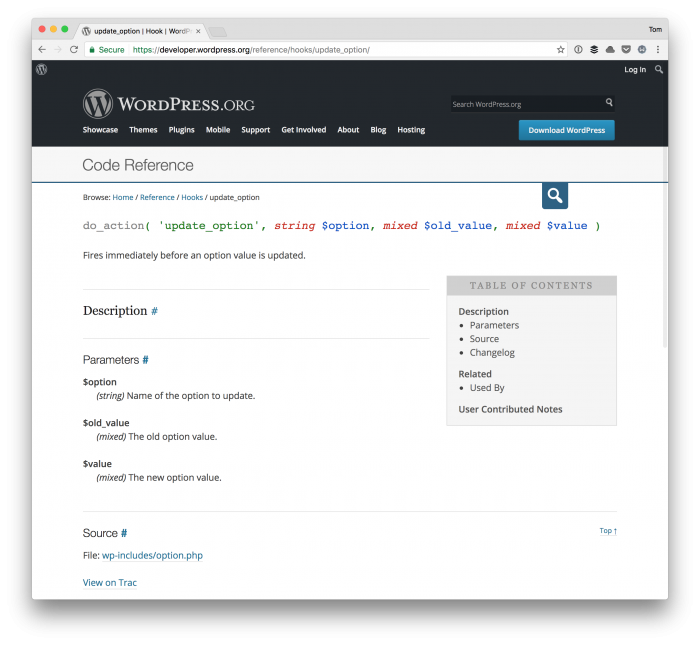
Updating options within the WordPress admin is simple, right? It’s a matter of filling out a text field, checking a box, or swapping a radio button then clicking save.

But let’s say that you need to set up a hook that fires that also updates a secondary, related option whenever one is toggled.

Updating Options Hook

For example, given an option represented by a checkbox, let’s say that you want to set an option in the database whenever the checkbox is unchecked and then delete it whenever said option is set.

There’s an action specifically for doing this that makes it pretty easy.

Continue reading

« Older posts Newer posts »

© 2026 Tom McFarlin

Theme by Anders NorenUp ↑