Software Engineering in Web Development, Backend Services, and More

Author: Tom (Page 356 of 430)

We Need Better Abstraction in WordPress Projects

When it comes to programming – regardless of the platform, language, or system that you’re using – there’s a concept of abstraction that most programmers understand even if they don’t know that that’s what the concept is called.

Perhaps the clearest definition on abstraction in programming (straight from Wikipedia) explains:

Abstraction is the process by which data and programs are defined with a representation similar in form to its meaning (semantics), while hiding away the implementation details.

A simple, practical example of an abstraction would be the concept of functions: It completes a unit of work and optionally accepts parameters and returns data to the caller

The details are implemented – are abstracted – into the function so that other programmers (or even the original developer himself or herself) can simply make a single call to the function.

Easy enough, right? Especially since we’ve all written functions.

Of course, abstractions can be more complex. Starting from functions, moving up to classes, moving up to full API’s and so on. Everything in programming lives at some level of abstraction.

I bring all of this up because I’ve seen – and continue to see – huge opportunities for refactoring WordPress-based code (specifically in themes and plugins) into more abstract units in other code as well as my own.

Continue reading

On Creating User Interfaces: A Developer’s Perspective

I’m not a designer and I’ve never claimed to be one, but that’s not an excuse for sacrificing an attempt at creating good user experiences, right?

To be clear, I am not equating user interfaces and user experiences – that’s incorrect. They aren’t the same (though they’re often treated as such). Generally speaking, user interfaces make or break the user experience.

The thing is, developer’s are notorious for creating terrible interfaces.

I’d even go as far as to say as that we have a reputation of creating a horrible user interface then calling the user stupid when they can’t figure out how to use what we created.

Lame.

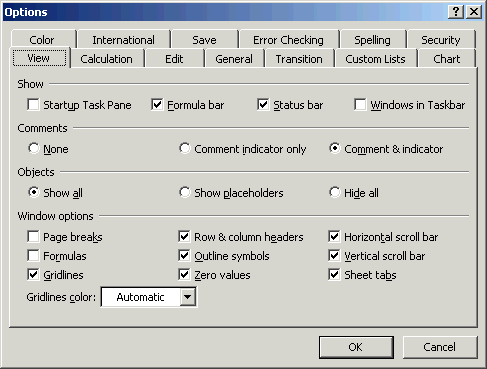
Bad User Interface

A Stereotypical UI By a Developer

Personally, I try to do what I can to make sure that I don’t create interfaces like what you see above.

I’m not great at it, but I am attempting to get better and I try to make each project an improvement over the last, and I try to make sure that as I go back and revisit, refactor, and improve existing projects, that I incrementally improve parts of it that I can.

That said, there are a few things that I try to keep in mind whenever I’m working on a new project. The majority of the work that I do is with WordPress, so this will be clearly geared towards that, but I’ve tried to generalize these points so that they are applicable to a variety of platforms.

Continue reading

The Dangers of Herd Mentality in Online Publishing

Blogging can be a really weird hobby especially in the development space. Obviously, the majority of what I personally write is geared towards developers – at least on some level.

Some articles are straight up “How To’s” (such as get a post ID by its meta value) that are meant for anyone. Others are meant for people who may be experienced in software development, but not necessarily WordPress, and others are geared towards open conversation in which anyone that works as (or for!) a developer can have an opinion.

But there’s a problem with this: Whenever you – or I – opt to write an op-ed piece about why someone should avoid using a certain plugin or practice, or we share how certain things are Doing It Wrong rather than Doing It Right, or anything of like, we run the risk of cultivating an environment that fools us into thinking our perspective is of much more significance or is much more “correct” than it really is.

Continue reading

MaxCDN Giveaway: Ten 1TB Accounts!

When it comes to managing a blog, one of the pressure points that many of us feel – at some point – is how to manage the amount of bandwidth our site requires in order to serve the assets.

Case in point: if you’re a designer and you’re serving large images to your audience, you can drastically impact their experience with your site with how fast your server provides the images.

Similarly, if you’re a developer and you’re serving up files for people to download as examples of your work, then bandwidth is required to send the data across the wire. And the same goes for people producing videos, musicians sharing their work, and so on.

For many of us, we start off on a budget-friendly hosting plan and then drop some cash on a beefier server when the time comes. The thing is, there’s middle ground between the two: introducing caching.

Specifically, setup caching such that all of your assets are hosted on a content delivery network that will host the files and make downloading the data that much faster for your readers and/or visitors without taxing your server.

Granted, this can cost a little bit extra, but I am proud to announce a MaxCDN giveaway.

Continue reading

Indie Game: The Movie and Work, Audience, & Motivation

Last week, I watched Indie Game: The Movie (it’s available on Netflix, so check it out if you subscribe). Overall, it was an extremely well-done documentary – very well-polished, very well-produced, and told the story of several developers in such a way that you genuinely care about what happens to them and their games.

But aside from all of that, I loved seeing the similarities between the game developers and the passion that they demonstrated for their games, their fears in building a product and how it would be received, and the battles they fought with people who would simultaneously use their product all the while insulting them publicly via the Internet.

Though these aren’t necessarily take aways, they’re interesting parallels nonetheless. Some I’ve seen in my own life, some I’ve wanted to avoid in my own life.

Continue reading

« Older posts Newer posts »

© 2026 Tom McFarlin

Theme by Anders NorenUp ↑