At any given time, I’ve got a number of active streaming services (some of which I rotate through during the year). Between the shows Meghan and I like to watch and the shows the kids like to watch, I don’t always know where to find what show or movie any of us are trying to find.
On top of that, this is an all too common song and dance: Someone recommends a show, I open Netflix, it’s not there. Try Hulu. Not there either. Check Disney+. Nope. It’s at a point now where I’ll drop the title in a note and maybe I’ll remember to look it up later. Or maybe not.
This happens enough so I built something to fix it. First, as a web app (which I’ve talked about), and now as an actual iOS app.
All About Where Can I Watch? For iOS
Where Can I Watch? is a free iOS app that answers one question: where is this movie or show streaming?
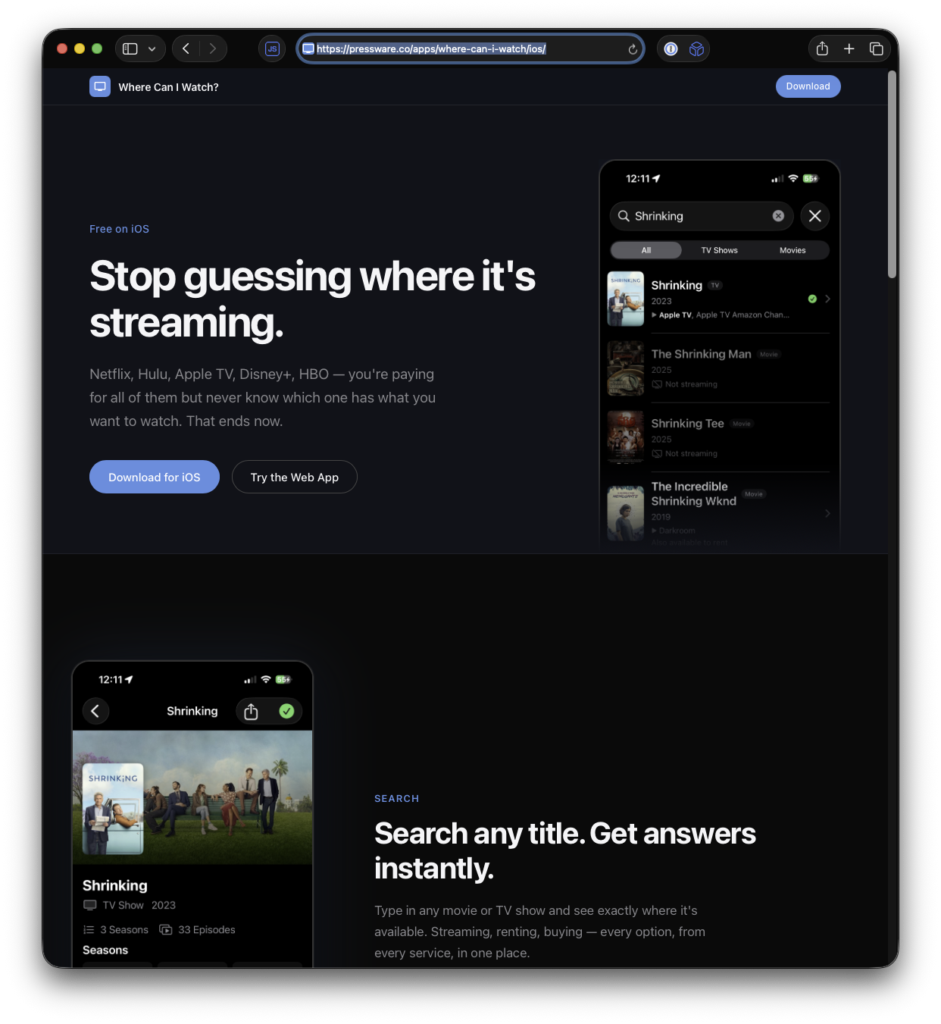
You search for a title, and the app tells you exactly which services have it, whether it’s included with a subscription, available to rent, or available to buy.
That’s it. No accounts, no subscriptions, no ads. Just the answer.
What It Does
More details and screenshots are available on the app’s homepage, but here’s the gist of the set of features:
- Search anything. Type in any movie or TV show and get results instantly. Each result shows you the streaming services that carry it, right in the search results, before you even tap in.
- Tap for the full picture. When you tap a title, you get everything — seasons, episodes, overview, and a full breakdown of where to stream, rent, or buy it.
- Your services, highlighted. The app lets you select which streaming services you subscribe to. When you search for something, results are tailored to show what’s available on your services first. This alone has saved me from renting things I could’ve watched for free on a service I was already paying for.
- Watchlist with countdowns. Save movies and shows to your watchlist. For TV shows, you get countdown badges — Tomorrow, 2d, 1 week — so you always know when the next episode airs. The app sends you a notification on air day so you don’t have to keep checking.
- Trending. Browse what’s trending daily in movies and TV. I’ve found a handful of shows this way that I never would’ve come across otherwise.
Get It
Where Can I Watch? is free on the App Store. No in-app purchases, no premium tier, no catch.
Requires iOS 17.0 or later. Streaming availability data covers the United States.
I have backlog of things I’m already working on for the next version – some features and some fixes – and I’ll continue to provide updates here as they roll out.
Under the Hood
If you’re curious about the technical side, here’s what’s in there:
The app is built with SwiftUI and SwiftData, targeting Swift 6 with strict concurrency. I went with an actor-based architecture for caching and data management. It works like this: SearchCache, ProviderCache, and SharedDataStore are all actors, which made the concurrency story much cleaner than trying to sprinkle @MainActor everywhere.
All the streaming data comes from the TMDB API.
The project uses XcodeGen for project generation, which has been worth every bit of setup time. No more merge conflicts in .xcodeproj, no more Xcode doing mysterious things to my project file. Just a project.yml and xcodegen generate. Sometimes, dealing with the CLI is far easier than a heavier IDE.
There’s a widget (built with WidgetKit) that shows recent watchlist items, synced via App Groups and SharedDataStore. And notifications are handled with local scheduling . Currently, the app checks airing info daily and reschedules notifications at 9 AM on air dates.
If you have questions about any of the technical choices or run into issues with the app, feel free to reach out.
