A couple of weeks ago, I released Where Can I Watch? launched on the App Store, and I recently shipped the first update. Version 1.1.0 includes four new features and six bug fixes most of which came directly from things that either bugged me while using the app every day or feedback from those using it.
That’s one of the nice things about building something you actually use. The feedback loop is short. Something feels off, you fix it. Something’s missing, you add it.
Here’s what changed.
What’s New
Every US Streaming Provider, Not Just 15
When I first shipped the app, I had a curated list of about 15 streaming services — the big names. That covered most people, but not everyone. If you had a niche service or something regional, it just wasn’t there.
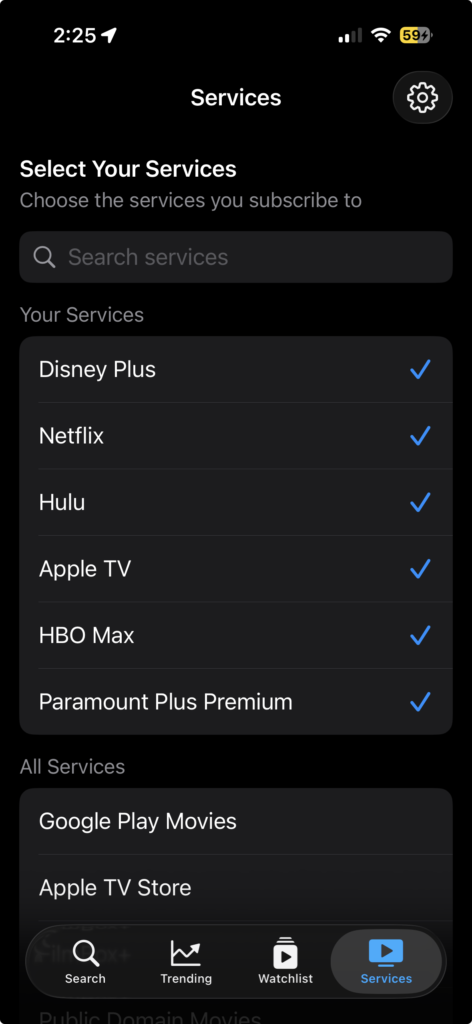
Now the app pulls in every US streaming provider that TMDB tracks. The Services tab has a search bar so you can find what you’re looking for quickly, and your selected services always float to the top. It’s a small change that makes the app work for a much wider range of setups.
Movie Sort Options in the Watchlist
The Watchlist’s Movies filter used to just show everything alphabetically. That’s fine when you have five movies saved, but once the list grows, you want more control.

You can now sort by Title, Oldest (by release date), or Newest. The app remembers your preference, so you set it once and it sticks.
Watched Toggle on the Detail View
Previously, the only way to mark something as watched was from the Watchlist itself. Now there’s an eye icon right in the toolbar when you’re looking at a movie or show’s detail view. Tap it to toggle between tracking and watched. Green eye means you’re tracking it, orange means you’ve marked it watched. Quick and obvious.
Smarter Widget
The home screen widget used to show your most recently added watchlist items. That’s not bad, but it’s not particularly useful either — you already know what you just added.
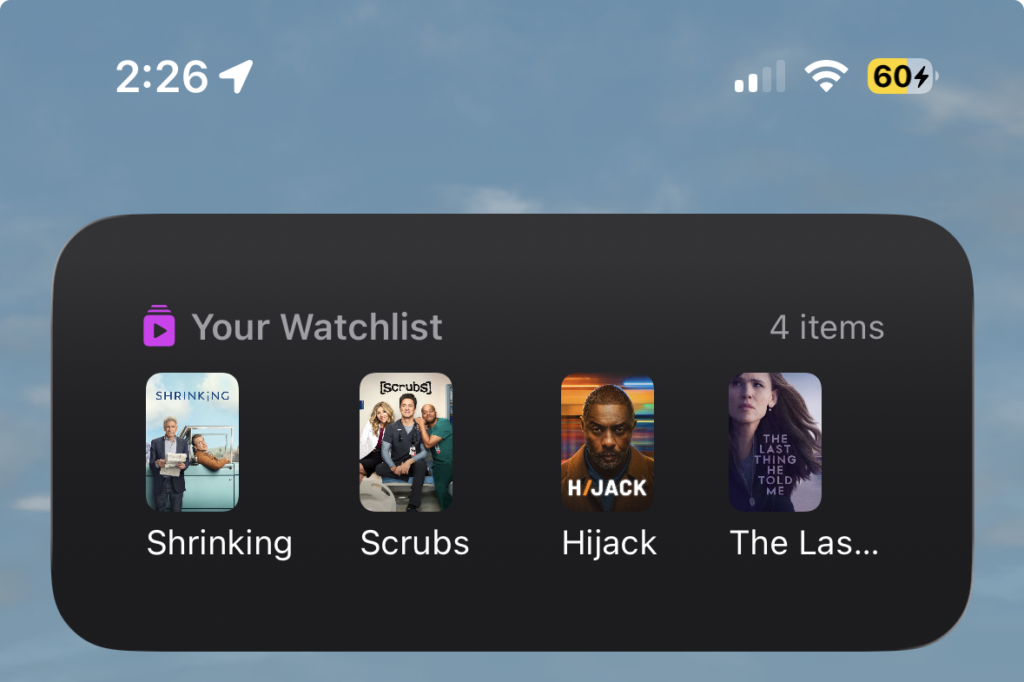
Now the widget surfaces items with the soonest upcoming episodes. If you’ve got a show airing tomorrow and another one next week, the widget puts tomorrow’s front and center. It’s a small shift that makes the widget something I actually glance at.
What’s Fixed
A handful of bugs crept in around timezone handling and sorting logic. These were the kind of things that were technically wrong but easy to miss unless you were paying close attention — which, of course, you eventually do.
- Notifications firing a day early. Episode notifications were using UTC instead of your local timezone, so if you were in the US, you’d get notified the night before an episode actually aired. Fixed.
- Badge count creeping up. The notification badge was using a counter that never properly reset between scheduling cycles. Now it pulls the count directly from delivered notifications, so it’s always accurate.
- “Up Next” sort issues. A few related bugs here. Items with any future date were being treated as upcoming even when they shouldn’t have been. Shows marked as “Returning” (no specific date) were getting mixed in with shows that had actual air dates. And completed shows were showing up alongside active ones instead of sorting to the bottom. All cleaned up.
- “Today” label showing a day early. Apple TV+ releases at 9 PM Pacific, and the app was interpreting those dates in UTC. If you were in the Eastern timezone, you’d see “Today” the night before the episode was actually available. Now dates are parsed in your local timezone.
Get the Update
If you’ve already got Where Can I Watch? installed, the update should be available now. If you haven’t tried it yet, it’s free with no accounts, no subscriptions, no ads.
I’m already working on the next version, which will focus on per-episode tracking for TV shows. More on that soon.
