If you’ve been running a WordPress blog for any length of time and you use – or used to use – the more tag, you’ve probably got some of your posts with the tag and some without the tag.
That’s how most of my archive pages are at this point, anyway.
I chalk it up to my own inconsistency but I got tired of finding a post, manually editing it, then moving on.
So I built a plugin to find them all at once.
What It Does
Find Missing More Tags adds a page under Posts in the WordPress admin. It scans every post on your site and tells you which ones are missing the more tag.
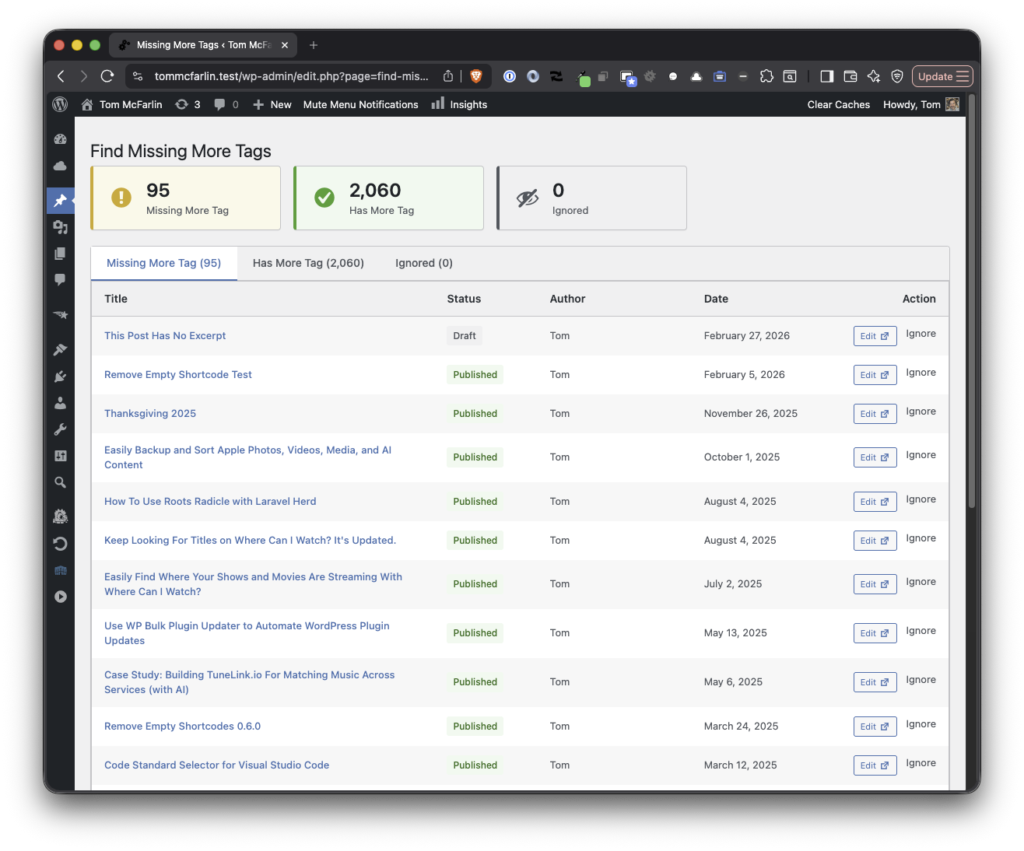
There are three tabs:
- Missing: posts that don’t have a more tag
- Has Tag: posts that do
- Ignored: posts you’ve explicitly marked as fine without one
Each post shows its status, a link to the editor that opens in a new tab, and an ignore button if you want to skip it. Results are paginated so it doesn’t choke on sites with hundreds of posts.
It works with both the Classic Editor and the Block Editor. No settings to configure. Install it, activate it, and go look at the list.
Why the More Tag Matters
The more tag controls what shows up on archive pages, category pages, and your main blog feed. Without it, WordPress either dumps the full post or generates an automatic excerpt that cuts off wherever it feels like. Neither is great for readability (which is also why I shared Excerpt Check).
A well-placed more tag gives you a clean intro paragraph followed by a “Read More” link. It’s a small thing, but it makes your site feel intentional.
Under the Hood
The plugin scans published, draft, pending, scheduled, and private posts. It caches results so repeated visits to the admin page don’t hammer the database. The interface is card-based with status badges and tab counts so you can see the breakdown at a glance
Get It
Install it from the WordPress admin under Plugins > Add New, or download it from the repository. There’s no set up or configuration; it works immediately. And the submenu option is available under the Posts menu.
