Software Engineering in Web Development, Backend Services, and More

Author: Tom (Page 141 of 430)

The Intimidation of Creatively Solving Problems

One of the things about programming in the same “environment” for an extended period is that you get comfortable with the way you tackle similar problems.

Case in point:

When you start writing a plugin, you likely have an idea as to how you will implement something before writing it.

I’d venture to say that this begins to happen while the client is describing their problem. I don’t think there’s anything inherently wrong about this. In fact, I believe that it’s probably a good thing as it’s a sign you’re learning your way around the API, how to structure files, assets, and so on.

But at what point do we start coasting on autopilot? Or, perhaps a better way to ask it, is when are we just going through the motions of solving different-but-similar problems?
Continue reading

WordPress JSON Encoding For Ajax

If you’ve worked with Ajax in any capacity, then you’ve likely tried to send response data using various formats. Obviously, the original format of the response data is XML but JSON is a second, [and arguably] more popular format.

When working with WordPress’ Ajax API, arguably, the most important things to remember are:

  1. Make sure the function is using the proper hook (should it be available for the public, for users who are logged into their account, or both?),
  2. Terminate the function using wp_die unless you want an incorrect or malformed response sent to the client.

In addition to that, if you’re sending your response data to the client in the form of JSON then you have several options on how to return the data:

  1. Structure the JSON data yourself (which I think would be an overly complicated feat 🙂),
  2. Use PHP’s json_encode function,
  3. Or use WordPress’ wp_json_encode function.

You can see there this is going, right? So I’ll make it quick.

Continue reading

Desktop Applications via the WordPress REST API?

There are a lot of reasons that people are excited to have the WordPress REST API merged into core.

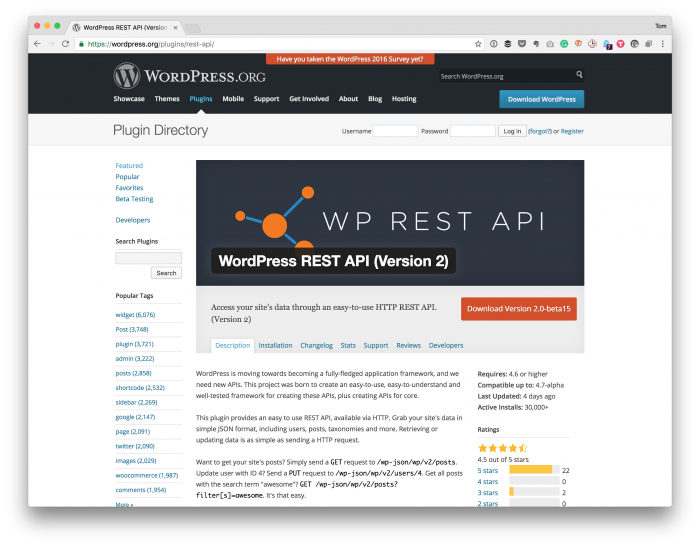
The WordPress REST API Plugin

I think some are excited because they won’t need to include the plugin dependency anymore; others, honestly speaking, I think are happy to see it merged for the sake of it. Whatever the case, having the entire infrastructure is core is neat, and I’m excited, but almost none of the client work I’m doing at the moment warrant it.

I believe that will change, though, as people learn what we can do with it. But until that time comes, one of the things I like to do is try to think broadly about what could the REST API offer that isn’t directly related to blogging.

And this leads me to a much broader question.

Continue reading

Learn “WordPress JavaScript” (And What That Means)

Now and then, I’ll stumble across a blog post, question, or comment that talks about WordPress JavaScript as if it’s a different type of or variant of JavaScript that exists solely within the WordPress application.

For those who have been working in web development for a long time, this seems like a silly statement, but if you’re brand new to web development (regardless of your age), then this is something that might be a bit confusing.

After all, it’s not like the JavaScript standard is cut and dry right now, right? But I digress.

Furthermore, WordPress includes jQuery, jQuery UI, Backbone, and so on. So when someone wants to work with JavaScript within the context of WordPress, what are they actually talking about?

And the answer is, unfortunately, “it depends.” But it does: It depends on the type of work you’re doing and where you’re focusing your efforts.

But this brings us back to the original problem: How do you learn “WordPress JavaScript” if you’ve never even touched JavaScript?

Continue reading

Working with Associative Array Values in WordPress

Spend enough time working in WordPress, and you find that a lot of data is often held in arrays (and multidimensional arrays, at that). I’m not arguing whether or not this is a bad thing or a good thing; it’s more of an intermediary step between grabbing something from the database and then rendering it on the page.

As you venture into the world of WordPress development, though, and you aren’t necessarily sure how you want to manipulate some of that data before rendering it, saving it, or working with it, you may ask yourself the following question:

How do I read the associative array values in WordPress?

And if you have experience in PHP, this isn’t something that’s terribly difficult. But if you’re working with an existing structure or trying to extend or manipulate something that already exists,

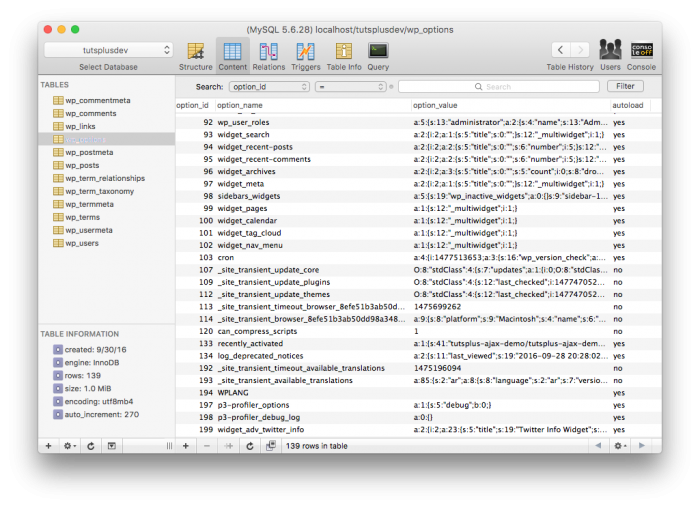
Associative Array Values: Look at all the serialized options.

Look at all the serialized options.

But if you’re still learning the ropes and you start trekking down the PHP manual, you’re likely to find something like array_values or array_intersect_key or something like that only to find out that you’re more confused than when you’ve started.

So what are you to do?

Continue reading

« Older posts Newer posts »

© 2026 Tom McFarlin

Theme by Anders NorenUp ↑