
Software Engineering in WordPress, PHP, and Backend Development

Category: Articles (Page 207 of 258)

Personal opinions and how-to’s that I’ve written both here and as contributions to other blogs.

Strategies To Future Proof WordPress

Future Proof WordPress

You’ve gotta be prepared for the future, just in case you end up there.

For those of you who have read this blog long enough, you know that I’m a big advocate for using WordPress for web application development.

No, I don’t think it’s the end all, be all of foundations for web applications, but it’s one that shouldn’t be overlooked depending on the nature of your requirements.

Anyway, a friend of mine recently contacted me asking what I do to future proof WordPress when I begin to use it build applications on top of it. Specifically, he asked what steps I take when working on projects that may end up breaking with the next WordPress upgrade.

Since I don’t recall ever sharing the steps and tools that I use, thought it would be good to cover here.

Note that these aren’t all the things that I do or that can be done (and I’m sure you guys have some great suggestions, too), but these are the things that came to mind that I’ve found to be absolutely critical.

Continue reading

A Simple Helper to Check if a Post Has Comments or Pingbacks

A previous post, I shared a strategy on how to separate comments, trackbacks, and pings in a WordPress post.

In short, the article covered how to create a template such that the comments would be listed first, then the trackbacks and pings would be listed second.

In addition to creating templates that separate the types of comments related to a post, I also find it useful to have a helper function to determine if a given post has comments and/or pingbacks.

Continue reading

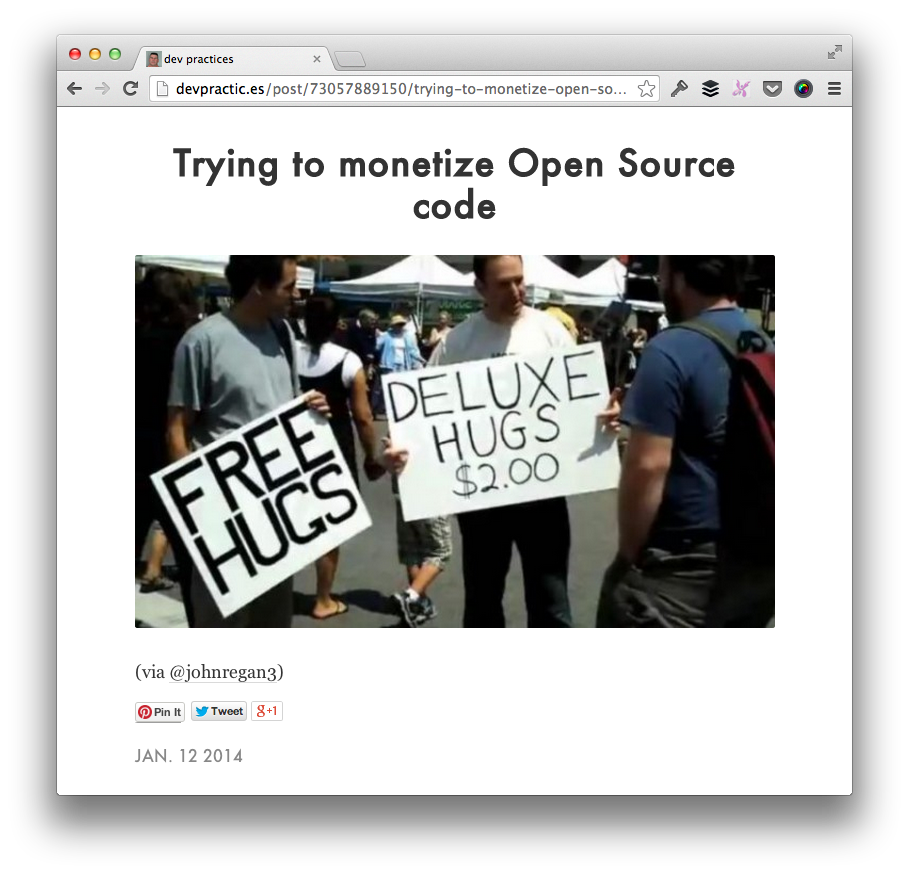
The Challenges of Monetizing Open Source Software: Contributors

The very idea of monetizing open source software – especially projects that have a list of contributors – is something that I spend more time thinking about than I’d like to admit.

One of the many Dev Practices

One of the many Dev Practices

And I bring this up because there are a number of things that I’m working on (and that I’ve seen my peers work on), that are directly impacted by this.

As with anything, I’ve my own opinions about this, but I’m curious as to what you guys think as it relates to monetizing open source software.

Continue reading

Why I Don’t Update Old Blog Posts with a New Theme

Update Old Blog Posts

For those who actually read this blog in a browser (rather than in a feed reader), you know that I’ve been using a new theme for the past few weeks.

Whenever you – or someone else – changes themes, it raises the question as to if you should go back over your old content and update your old blog posts so that they look well-formatted within the context of the new presentation.

If your blog is in its infancy and/or only has a few dozen posts, I think that makes sense, but if you’ve been writing for a while and have, say, several hundred posts or several years worth of posts, I don’t think it’s worth it.

Continue reading

Programmatically Upload Files in WordPress (and Create Associated Meta Data)

This is post one of two on how to upload files in WordPress and created associated meta data.

In a recent project, I’ve been working on a plugin in which the user needs to upload a file to a custom post type by using an input element (of type file, obviously) rather than using the WordPress media uploader.

In addition to being able to upload the file, the user must also be able to view the file and remove the file (via Ajax) by an available anchor.

In order to do this, the plugin has to do the following:

  1. Upload the file to the `uploads` directory
  2. Save the file URL to the custom post type’s post meta data
  3. Save the file path to the custom post type’s post meta data
  4. Delete the file from the `uploads directory
  5. Clear the post meta data referencing the file

The primary reason that you have to store the file’s location on disk is because you can’t rely on PHP to delete a file via remote requests.

To that end, you need to be able to store not only where the file is on disk (for the sake of being able to delete), but also the URL of the file so that visitors or viewers can access the file via their browser.

Over the next two articles, I’ll share how to programmatically upload files in WordPress and save their associated meta data, and then I’ll share how to programmatically delete the files in WordPress as well as their associated meta data.
Continue reading

« Older posts Newer posts »

© 2026 Tom McFarlin

Theme by Anders NorenUp ↑