Tipsy Social Icons is a WordPress widget that makes it easy to display a variety of popular social icons along with a Facebook-style tooltips. The widget ships with a couple of options for icon sizes and for visual effects.
Check it out…
Once installed, the widget will be available in the WordPress administration area. The admin panel for the plugin features 14 icons and two options:
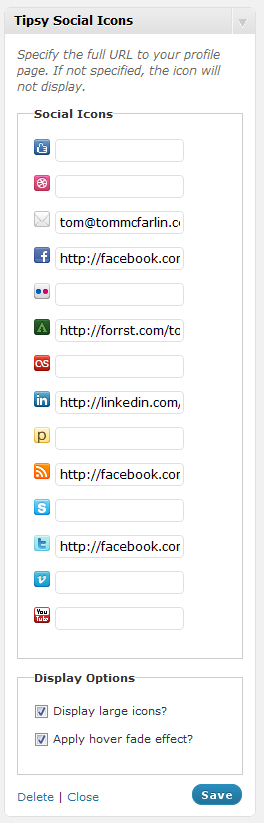
For each icon, specify the URL to your profile and it will be visible on your site. If you leave a field blank, then it will not show up.
If you opt to display large icons, then the plugin will use 32×32 images (the default being 16×16). Checking the option to enable hover effects will decrease the opacity of the icon when the mouse passes over it giving it a nice visual effect.
You can customize the layout of the images by modifying the styles – they are located in the plugin’s CSS directory.
Tipsy Social Icons is configurable via CSS and is fully localized. You can check out the README and download the plugin at the WordPress repository.
Icons provided by Komodo Media’s Social Icon Pack and Jason Frame’s jQuery Tipsy plugin for effects.

Leave a Reply
You must be logged in to post a comment.